Nzyme v2.0.0-alpha.16 has been released
A lot of work has gone into this next release and we are excited for you to try it out.
Changelog
- New Feature: Organization and Tenant Quotas
- New Feature: Tenant Data Retention Time Configuration and New Database Management System
- New Feature: Filters and Table Sorting for All 802.11 (WiFi) Pages
- New Feature: Latitude/Longitude Coordinate Locations of Taps
- Improvement: New Colors and Fonts Across the Web Interface
- Improvement: Multi-Factor Authentication Settings and Flow
- Improvement: New Tab Navigation for Complex Pages
- Improvement: New Fuzzing Suite to Stress-Test Parsers (by Adriano Maia – Thank You!)
- Improvement: Database Migrations Now Run on Demand
- Many Small Bug Fixes and Improvements Across the Entire System
New Feature: Organization and Tenant Quotas
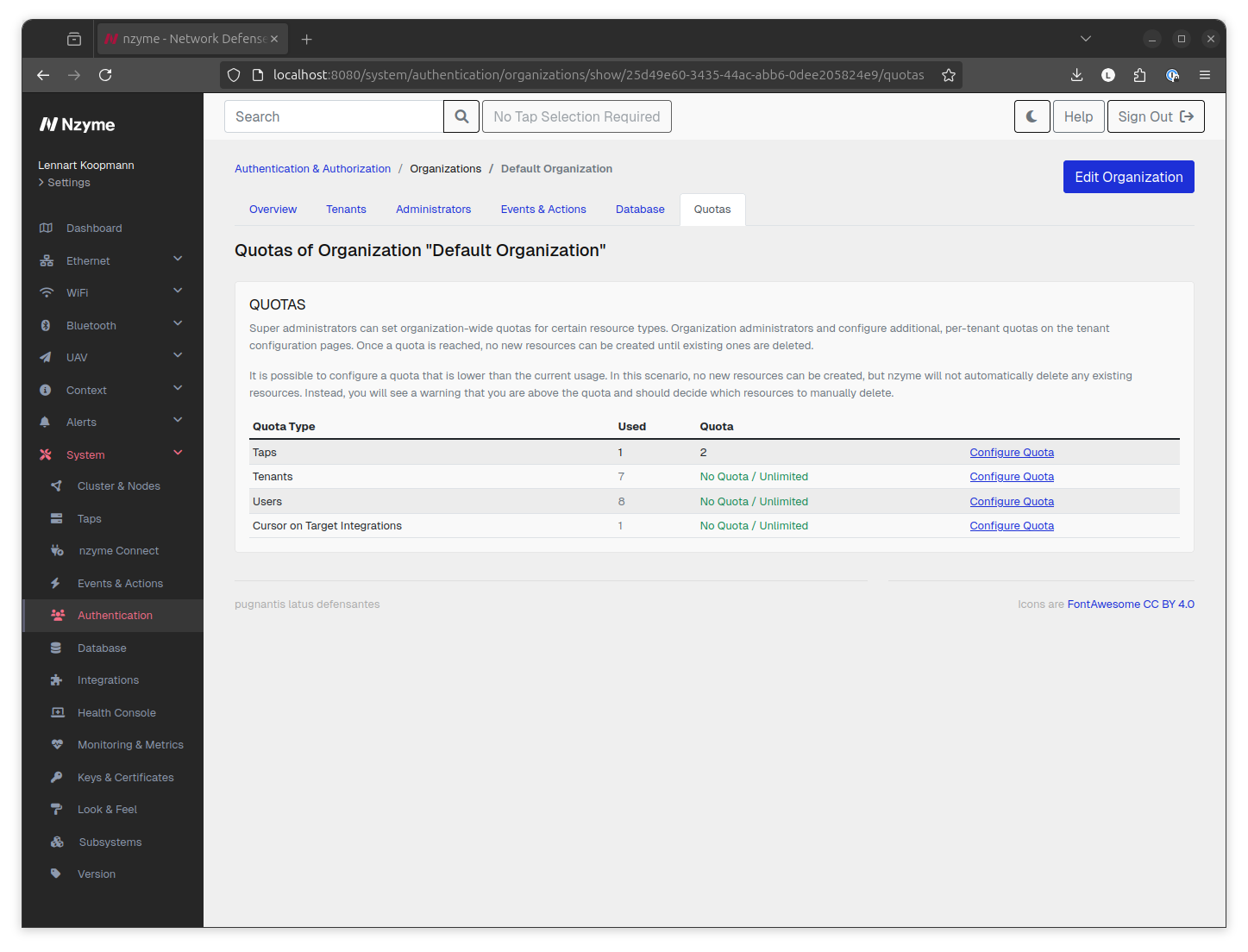
You can now enforce usage limits for organizations and tenants. By default, all usage is unrestricted, but users with the required permissions can optionally apply quotas to the following resources:
- Number of taps
- Number of users
- Number of tenants
- Number of integrations
New Feature: Tenant Data Retention Time Configuration and New Database Management System
Previously, data retention settings in Nzyme were configured globally across the entire cluster. With this update, you can now define data retention periods on a per-tenant basis, giving you more flexibility to tailor retention policies for each tenant’s needs.
These settings can be managed by super administrators or organization administrators for all tenants within their organization.
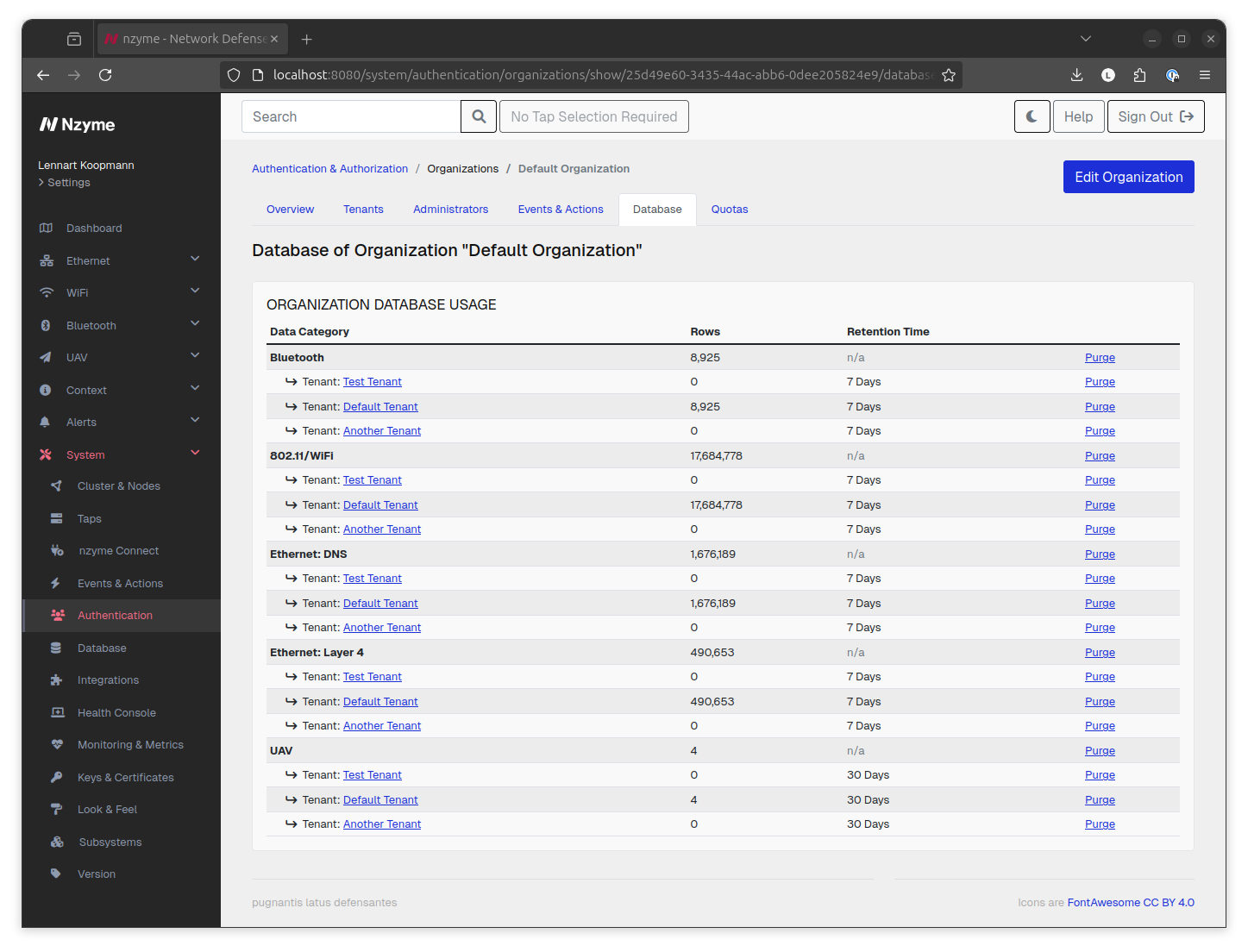
When upgrading to this version, your existing global data retention settings will automatically be applied to all tenants by default.
New Feature: Latitude/Longitude Coordinate Locations of Taps
Taps can now be placed not only on floor plans but also on a world map using longitude and latitude coordinates. This allows you to understand the tap’s location within a broader geographical context and lays the groundwork for future use with upcoming Nzyme outdoor sensors.
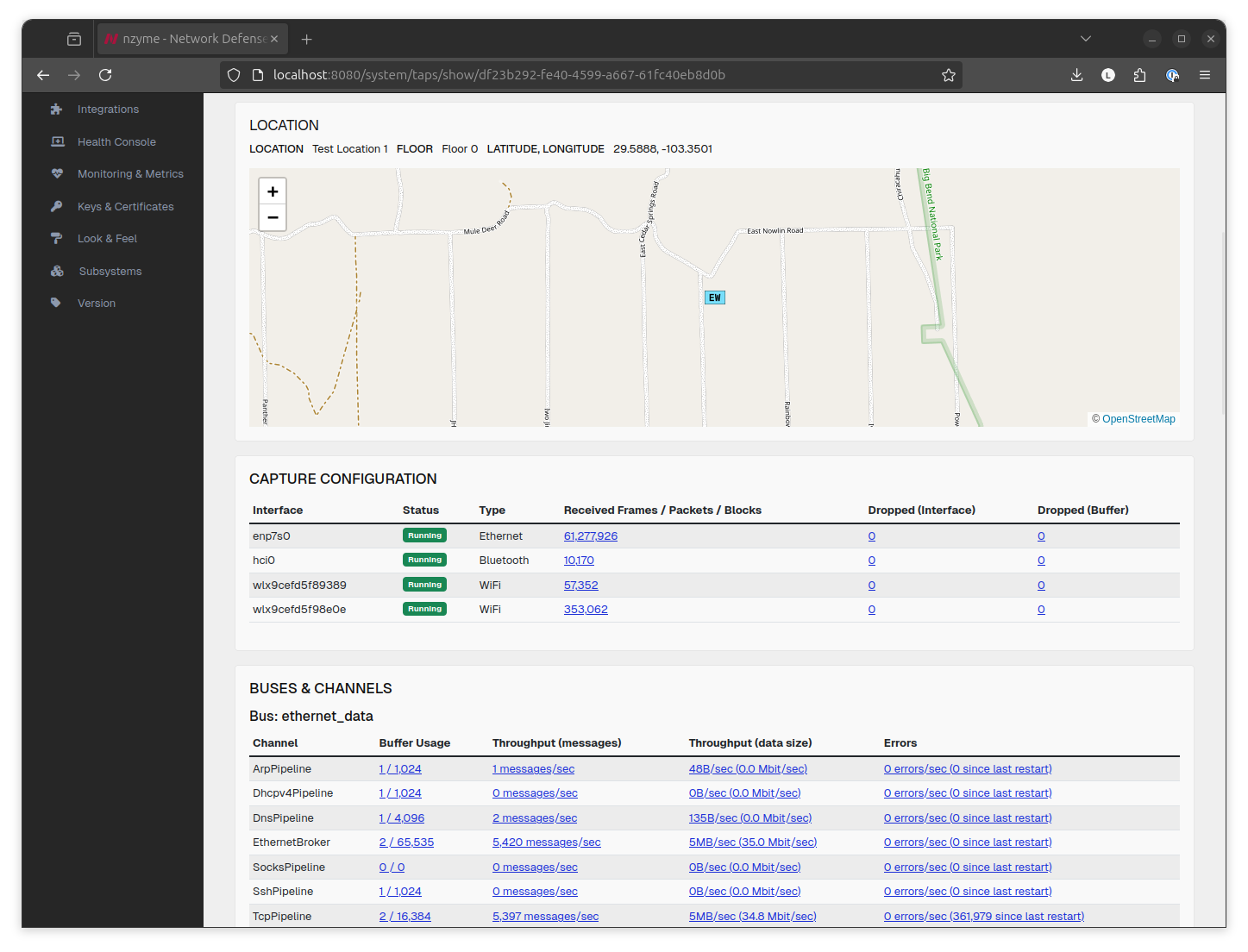
Note: Until these outdoor sensors become available, no trilateration or location-based calculations are performed using the map coordinates.
New Feature: Filters and Table Sorting for All 802.11 (WiFi) Pages
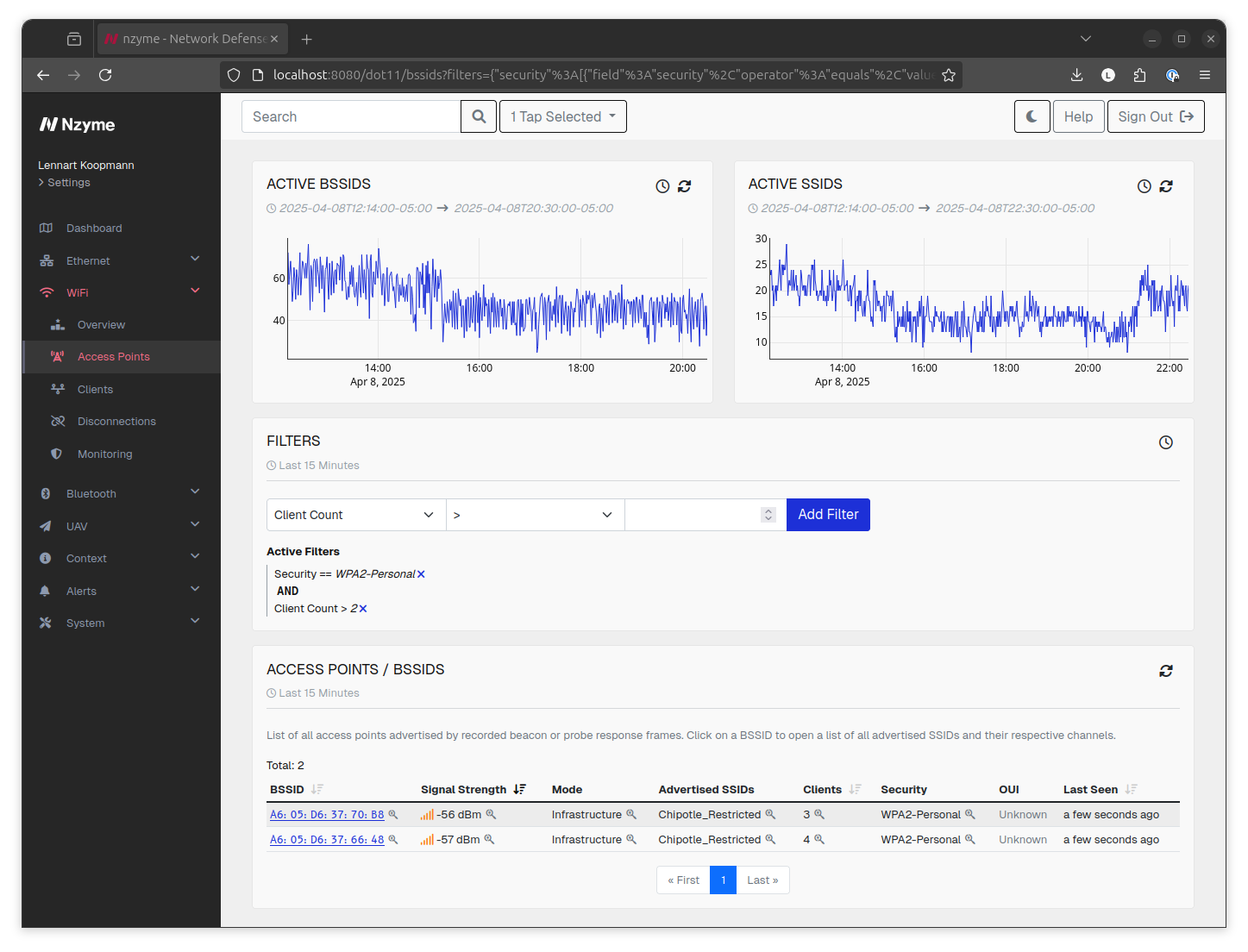
Data on the 802.11 (WiFi) BSSID and client pages can now be sorted and filtered.
Improvement: New Colors and Fonts Across the Web Interface
We’ve refreshed the colors and fonts across the entire web interface to align with the new Nzyme brand identity. The result is a cleaner, more modern look that enhances usability.
Stay tuned—a brand-new website is also launching in the coming weeks!
Improvement: Multi-Factor Authentication Settings and Flow
Multi-factor authentication (MFA) can now be disabled for all user types. While this is generally not recommended for security reasons, it may be useful in specific scenarios where MFA presents operational challenges.
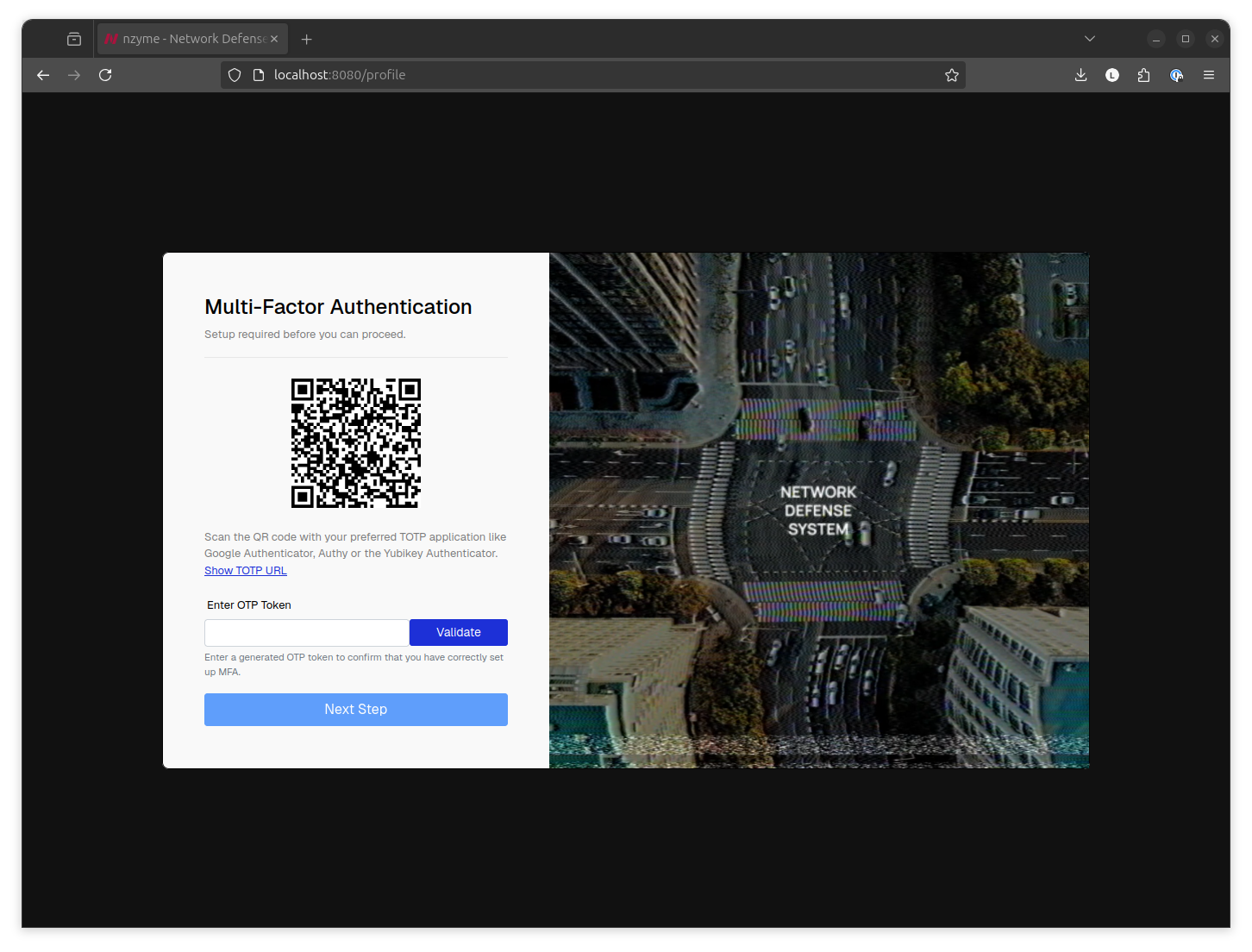
Additionally, the MFA setup process has been improved to require users to confirm a valid OTP token before proceeding. This helps prevent misconfigurations and reduces the risk of users locking themselves out due to incorrect setup.
Improvement: New Tab Navigation for Complex Pages
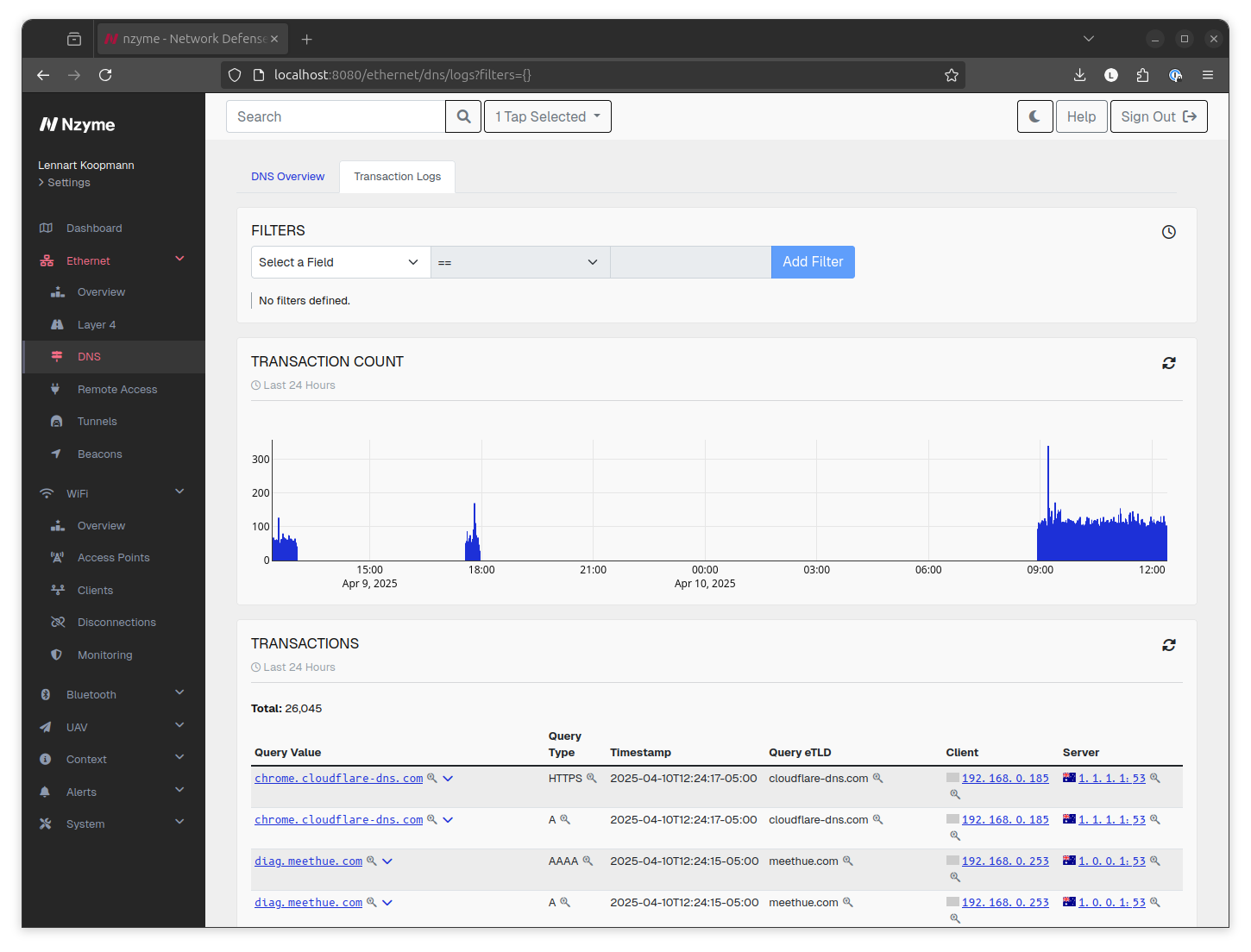
As Nzyme continues to grow, some areas of the web interface became too crowded. To improve usability, we’ve introduced a new tabbed navigation system on selected pages. This allows for a cleaner layout and a more focused experience for specific use cases.
Improvement: New Fuzzing Suite to Stress-Test Parsers
One of the core responsibilities of a Nzyme tap is to process massive volumes of byte arrays arriving at very high speed. The protocols we parse—such as 802.11, Ethernet, and various IP-based protocols—are often complex and require precise buffer cursor navigation. This is a high-risk area for subtle bugs and edge cases.
While our use of Rust (we write Rust btw) provides strong memory safety and guards against common vulnerabilities like buffer overflows and use-after-free bugs, it doesn’t eliminate all risks. Parser logic can still crash if it encounters unexpected or malformed input.
To harden this critical part of the system, Adriano Maia integrated a fuzzing suite
using cargo-fuzz. This tool generates random, semi-valid inputs to stress-test our parsers and uncover crashes or
panics. His initial runs have already revealed several bugs in our protocol parsers—which he also already fixed.
This is a big step forward in ensuring long-term stability and robustness. We’re planning to integrate the fuzzer into our continuous integration pipeline to catch future issues early.
Huge thanks to Adriano for the initiative—we’re excited to see where this leads!
Improvement: Database Migrations Now Run on Demand
Previously, Nzyme automatically applied all database migrations on startup. This approach sometimes caused issues—such as nodes failing to start if another node was holding a database lock during migration—and increased the risk of deadlocks that required manual intervention.
With this update, database migrations have been moved to a separate command, improving reliability and control during upgrades.
Full instructions for running the new migration command are available in the documentation and upgrade notes.
Download & Upgrading
All packages are available for download on the downloads page. Upgrading is easy. Please follow the release notes on the downloads page.
New installations should follow the installation documentation.
How can I help?
You are some of the first users to try out nzyme v2.0.0, and we are looking for any kind of feedback:
- What didn’t work, what bugs did you experience?
- What was confusing or seemingly unnecessarily complex?
- What is missing?
- What do you think should be changed?
Again, this is an early release and no feelings will be hurt.
You can file issues on GitHub, join the nzyme Discord or post in the discussion forums to provide your feedback or ask questions.