Wireless Capabilities

Threat detection, continuous awareness, and analytics for WiFi and Bluetooth.

Rogue Access Point Detection

A rogue access point is any wireless access point in your environment that you never authorized. It could be a consumer router someone plugged into a wall port, a device left behind after a project, or an access point an attacker placed to slip into your network. Because it bypasses your normal controls, it can expose internal systems to anyone in wireless range, sidestepping firewalls, network access control, and physical security.

Rogue access points vs. evil twins

A rogue access point is simply one that is unauthorized. An evil twin is a targeted attack where an access point impersonates one of your legitimate networks to trick clients into connecting. Every evil twin is a rogue access point, but not vice versa. Nzyme detects both. Evil-Twin Detection covers impersonation of your known SSIDs, while this page covers unauthorized access points in general.
How Nzyme detects them

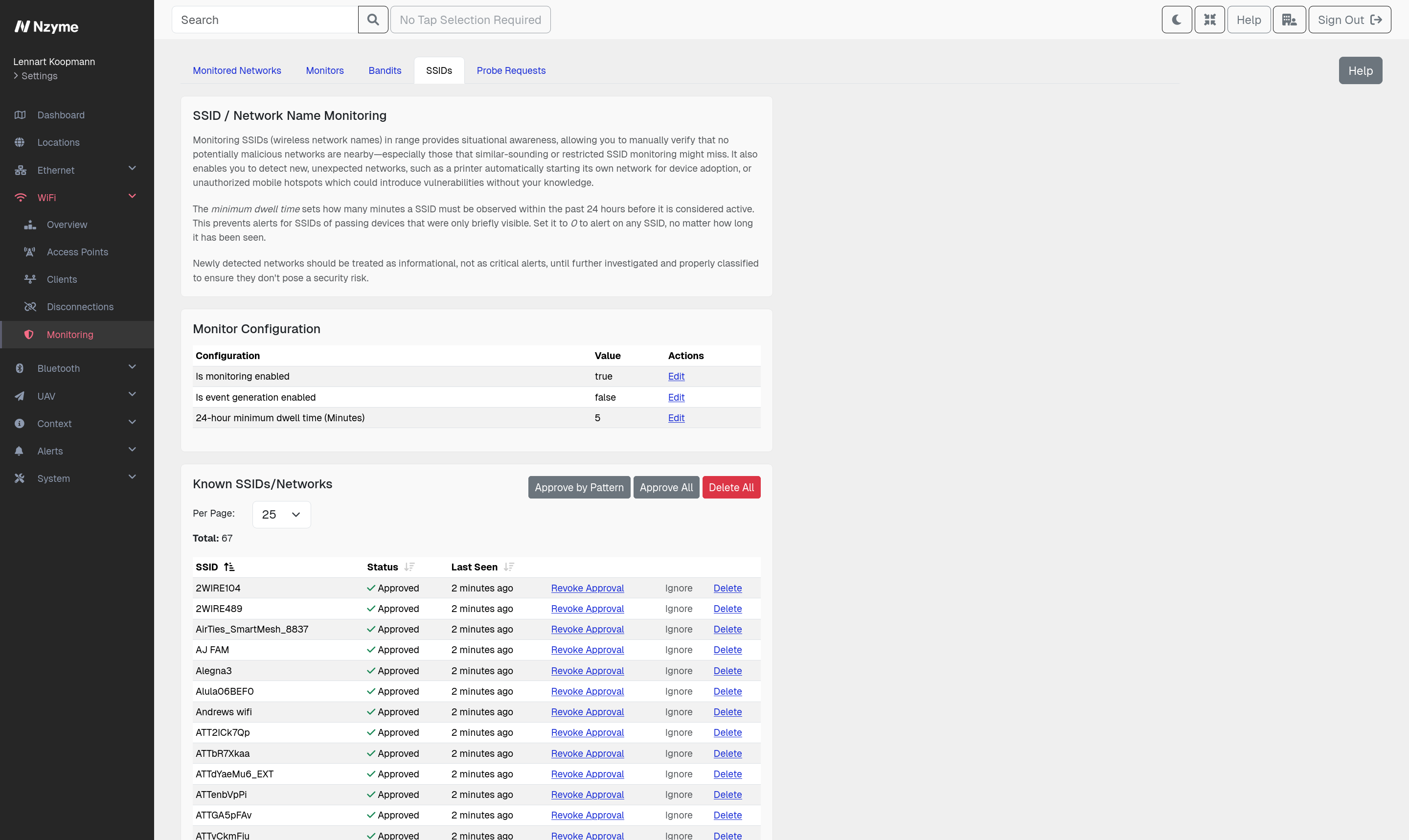
Nzyme’s sensors watch the wireless spectrum around your locations and record every access point and SSID they see. You approve the networks that belong, and Nzyme surfaces and alerts on the rest.

  • Confirms whether an access point is on your network. Access Point Correlation compares what Nzyme sees in the air with what it sees on the wire, so you can tell a real intrusion from a harmless neighbor.
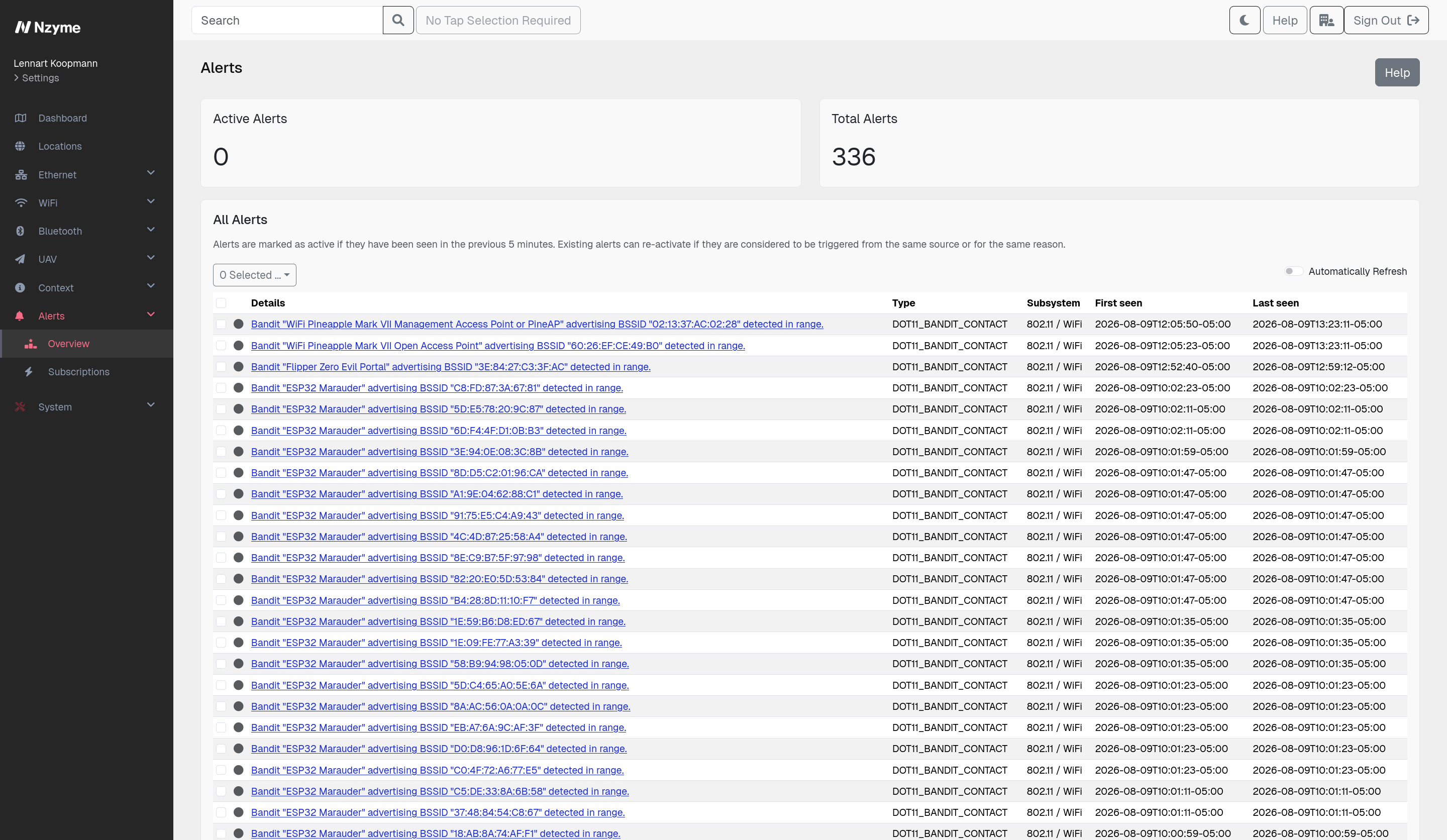
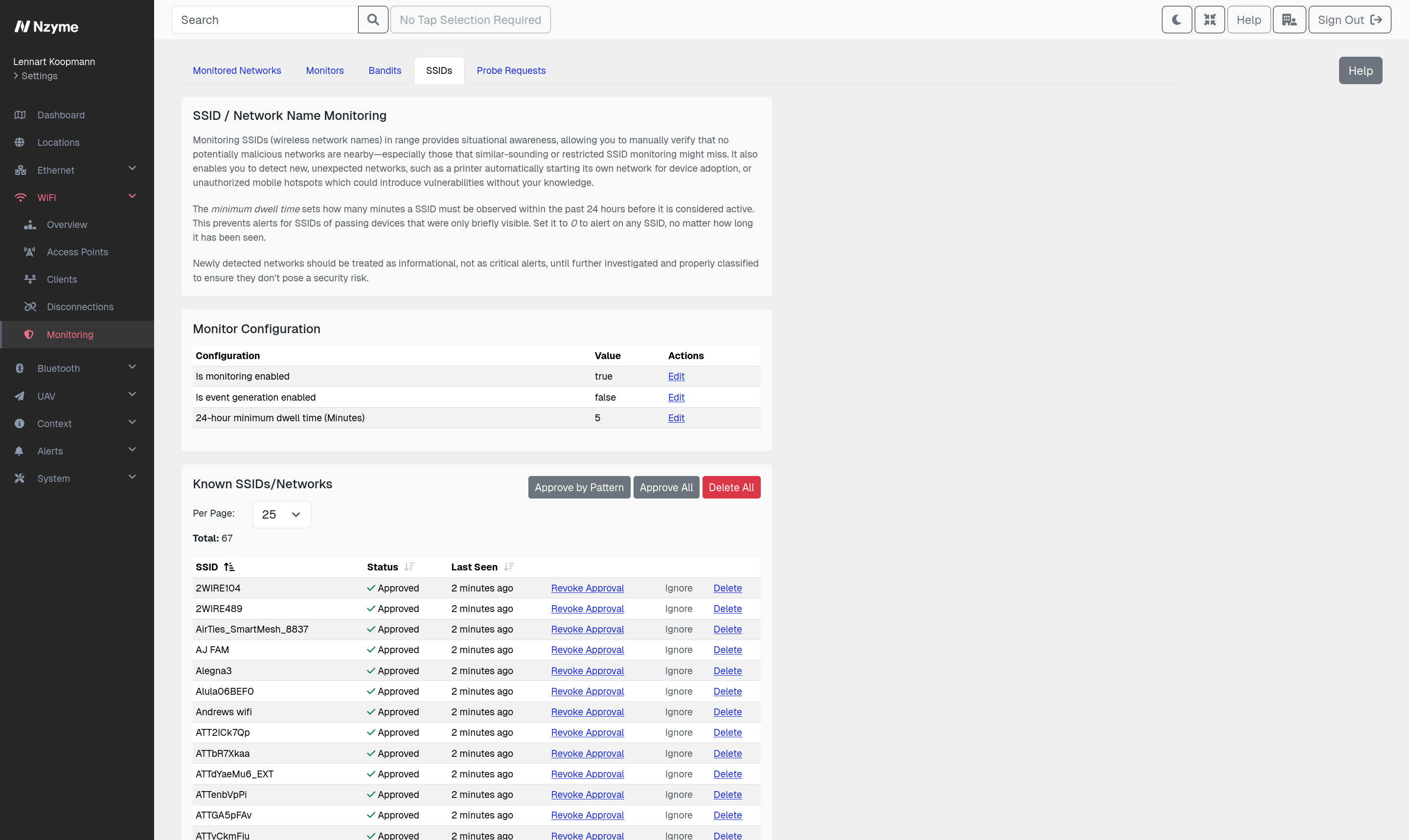
  • Reviews and approves each new SSID. Approve the networks that belong and flag the rest. Noise from passing networks, like an access point in a car driving by, is filtered out automatically. Works alongside Network Monitoring.
  • Keeps a full history of every SSID. Nzyme records every network it detects with SSID Monitoring, with the analytics to tell a legitimate one from a suspicious one.
  • Alerts on look-alike SSIDs. Nzyme flags networks with names that resemble your legitimate SSIDs with Monitors.
  • Catches clients connecting to rogue access points. When one of your devices joins an unknown access point, Nzyme surfaces it before it becomes a foothold.
  • Helps you locate the access point. Trilateration across multiple sensors estimates where an access point physically is.
Evil-Twin Detection

An evil twin is an access point that impersonates one of your legitimate networks. It broadcasts the same SSID your devices already trust, so phones, laptops, and other clients connect to it without anyone noticing. Once a device connects, the attacker can capture credentials, serve fake login pages, and manipulate traffic. Evil twins are also the technical foundation of most wireless social engineering, from captive portals asking for a password to prompts telling a user their session expired.

Evil twins vs. rogue access points

A rogue access point is any access point you never authorized, including a harmless consumer router someone plugged in. An evil twin is a deliberate attack that copies a network you already run. Every evil twin is a rogue access point, but not every rogue access point is an evil twin. Nzyme detects both. Rogue Access Point Detection covers unauthorized access points in general, while this page covers impersonation of your known networks.

How Nzyme detects them

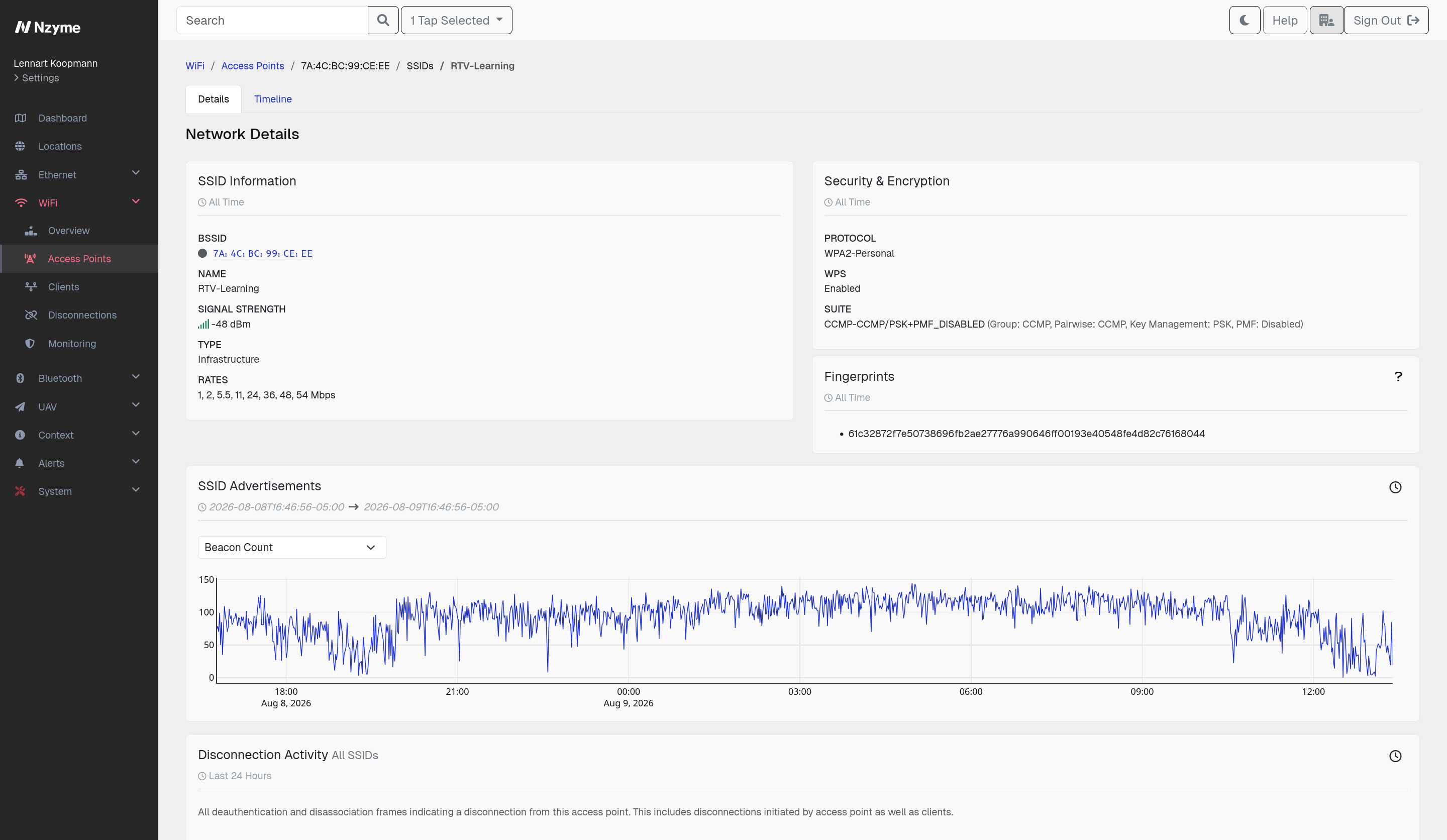
An evil twin can copy your SSID, your BSSID, and your security settings, but it cannot copy the hardware, firmware, and exact physical location of your real access points. Nzyme builds a detailed picture of how your legitimate networks behave and continuously compares what its sensors observe against it.

  • Fingerprints every access point. Nzyme derives a fingerprint from the way an access point advertises itself. A device impersonating your BSSID will almost always produce a fingerprint you have never seen before.
  • Alerts on physically impossible signals. The same access point cannot be in two places at once. Nzyme detects when it sees one of your access points at two locations at the same time.
  • Compares observed configuration to expected configuration. You define what each of your networks should look like, including its BSSIDs, channels, and security suites. Nzyme alerts on any deviation, like your corporate SSID suddenly appearing as an open network. See Network Monitoring.
  • Watches unique protocol level attributes. Beacon rates and similar low level characteristics differ between real access points and the software stacks attackers use, even when everything visible to a client looks identical.
  • Flags look-alike SSIDs. Not every evil twin uses your exact network name. SSID Monitoring catches names that resemble your legitimate SSIDs closely enough to fool a person.
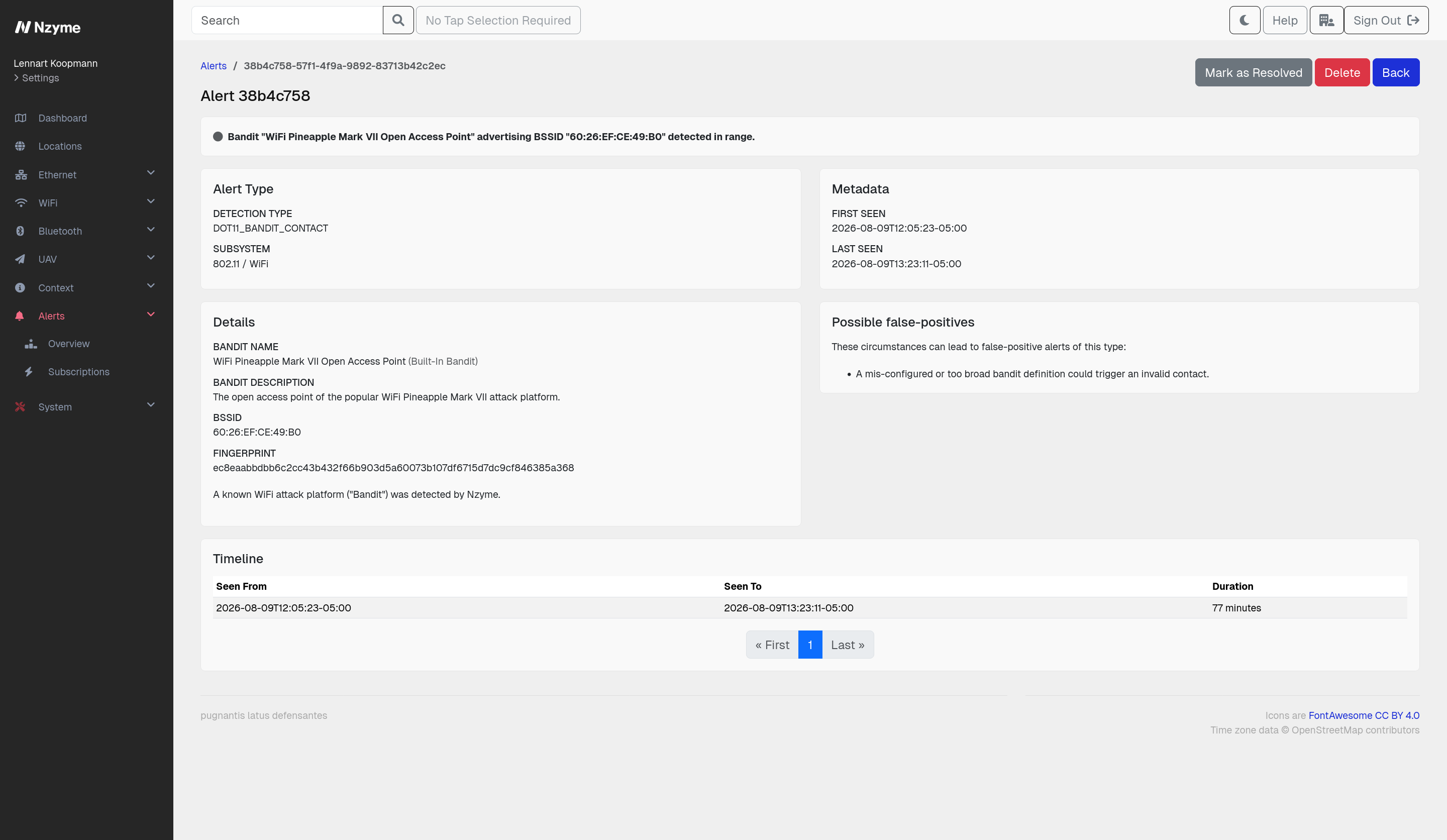
  • Detects the tools themselves. Nzyme recognizes the signatures of common WiFi attack hardware and software used to run these attacks with Attack Platform Detection.
  • Catches the deauthentication that precedes the attack. Many evil twin attacks first knock clients off the real network to force them onto the fake one. Deauthentication Monitoring detects those bursts.

Attack Platform Detection

Modern wireless attacks run on purpose-made hardware and software that anyone can buy or download, small enough to hide under a desk, in a ceiling, or inside a cable. These platforms are hard to spot physically, but they are loud in the spectrum, and most of them announce themselves before they attack anything.

Nzyme recognizes the wireless behavior of common attack platforms, including:

  • WiFi Pineapple, a widely used rogue access point and evil twin platform
  • Pwnagotchi, which harvests WPA handshakes automatically and advertises itself to other units nearby
  • Wifiphisher, used for evil twin and credential phishing attacks
  • O.MG cable, a malicious cable with a WiFi implant that offers its own access point for control

How Nzyme detects them

Each of these platforms leaves traces in the frames it sends, from the way it advertises networks to the peer discovery it performs while sitting idle. Nzyme’s sensors watch for those signatures continuously.

  • Catches devices before the attack starts. A Pwnagotchi announces its presence to other units and an O.MG cable exposes its access point before anyone is targeted. Nzyme alerts on them while they are still setting up.
  • Identifies the platform as well as the anomaly. Knowing that a WiFi Pineapple is in the building tells you what you are dealing with and what to look for next.
  • Helps you find the device. Trilateration across multiple sensors estimates where the platform physically is, which matters when it is hidden in a ceiling or plugged in behind a desk.
  • Connects to what happens next. When a platform begins attacking, Nzyme sensors continue to record it through Evil-Twin Detection and Deauthentication Monitoring.

SSID Monitoring

The SSID (network name) is advertised in an access point’s beacon frames, several times per second, unencrypted. It is not an identity: any number of access points can claim the same SSID, each with its own BSSID, and nothing stops a device from advertising a name that belongs to someone else. The result is that the set of SSIDs around each of your locations is public, constantly changing, and almost never watched.

Why it matters

An SSID that was not there yesterday is worth a look. Most of the time it is nothing that concerns you, like a new tenant moving in next door or a neighbor renaming their network. Sometimes it is something you need to know about:

  • A consumer router or travel router plugged into an office port
  • A printer, camera, or other IoT device sitting in pairing mode and offering an open network
  • A phone hotspot bridging a corporate laptop straight past your controls
  • A guest or vendor network someone stood up without telling anyone
  • An access point placed by an attacker to get into your network, or to impersonate one of yours

You cannot tell these apart from harmless ones without knowing which network names belong around your buildings. It is the foundation of Rogue Access Point Detection.

How Nzyme helps

Nzyme records every SSID its sensors observe and keeps the full history, including when each one was first and last seen and which access points broadcast it. You review that list once, approve the networks that belong, and from then on Nzyme tells you about anything new.

  • Approve the networks that belong. Your own SSIDs, the neighboring business upstairs, the building’s guest network. Once approved, they stay quiet.
  • Alerts on any SSID you have not approved. New network names are surfaced as soon as they show up, with the detail you need to decide whether they matter.
  • Filters out passing networks. A configurable dwell time means a hotspot in a car driving by does not wake anyone up, while a network that sticks around does.
  • Keeps the full history. Every SSID Nzyme has ever seen stays on record, so you can tell a network that has been there for months from one that appeared last night.

Probe Request Monitoring

When a device looks for WiFi, it does not only listen. It also calls out, sending probe requests that ask whether a specific network is nearby. Many devices work through their entire list of remembered networks this way, naming each one out loud. Anyone within wireless range can record these requests, and they are sent in the clear, long before the device connects to anything.

Why this matters

A probe request carries the name of a network the device has joined before, which makes it a statement about where that device has been. An employee sitting in an airport whose laptop keeps asking for your corporate SSID is broadcasting their association with your organization to everyone around them. That is useful information for anyone selecting a target, and the same requests can be used to recognize the same device again at a different place and time.

The list of remembered networks is also exactly what an attacker needs to build a convincing evil twin. Once they know which networks a device trusts, they can impersonate it and wait for the user device to connect on its own.

How Nzyme helps

Nzyme sensors record the probe requests in range and keep them with the rest of a client’s history, so you can see which networks your devices are asking for and where.

  • Records every probe request. Each client Nzyme sees comes with the list of networks it has asked for, giving you a clear view of what your devices leak.
  • Alerts on your network names appearing where they should not. Configure the SSIDs that belong to your organization and Nzyme raises an alert when a device probes for them in an unexpected place.
  • Surfaces devices that name sensitive networks. Probe requests for internal, restricted, or clearly identifiable network names stand out, so you can get the affected devices fixed.
  • Supports the rest of your wireless picture. Probe request history helps explain why a device connected to an unexpected access point, and works alongside Evil-Twin Detection and SSID Monitoring.

Network Monitoring

You know what your WiFi is supposed to look like: which access points you have, which channels they use, and how they are secured. Network Monitoring is where you write that down once, so Nzyme can compare it against what its sensors actually observe. Anything that advertises your network but does not match the description you gave raises an alert.

Some of these properties are easy for an attacker to copy, others are close to impossible. Together they form layers, and Nzyme tracks each layer to surface an attacker.

  • Expected access points. List the BSSIDs that serve your network. Any other device advertising your SSID is flagged.
  • Expected fingerprints. Nzyme fingerprints each access point from characteristics of its wireless frames. These are hardware defined and hard to fake, which makes an unknown fingerprint on a known BSSID a strong signal.
  • Expected channels and security suites. Your network appearing on a channel it never uses, or suddenly offering weaker security, is worth knowing about immediately.
  • Signal tracks. Signal strength is the one property an attacker cannot copy without placing their transmitter in the exact physical position of your access point, with matching antennas, orientation, and transmit power. A second signal track for one of your access points means something else is broadcasting your network.
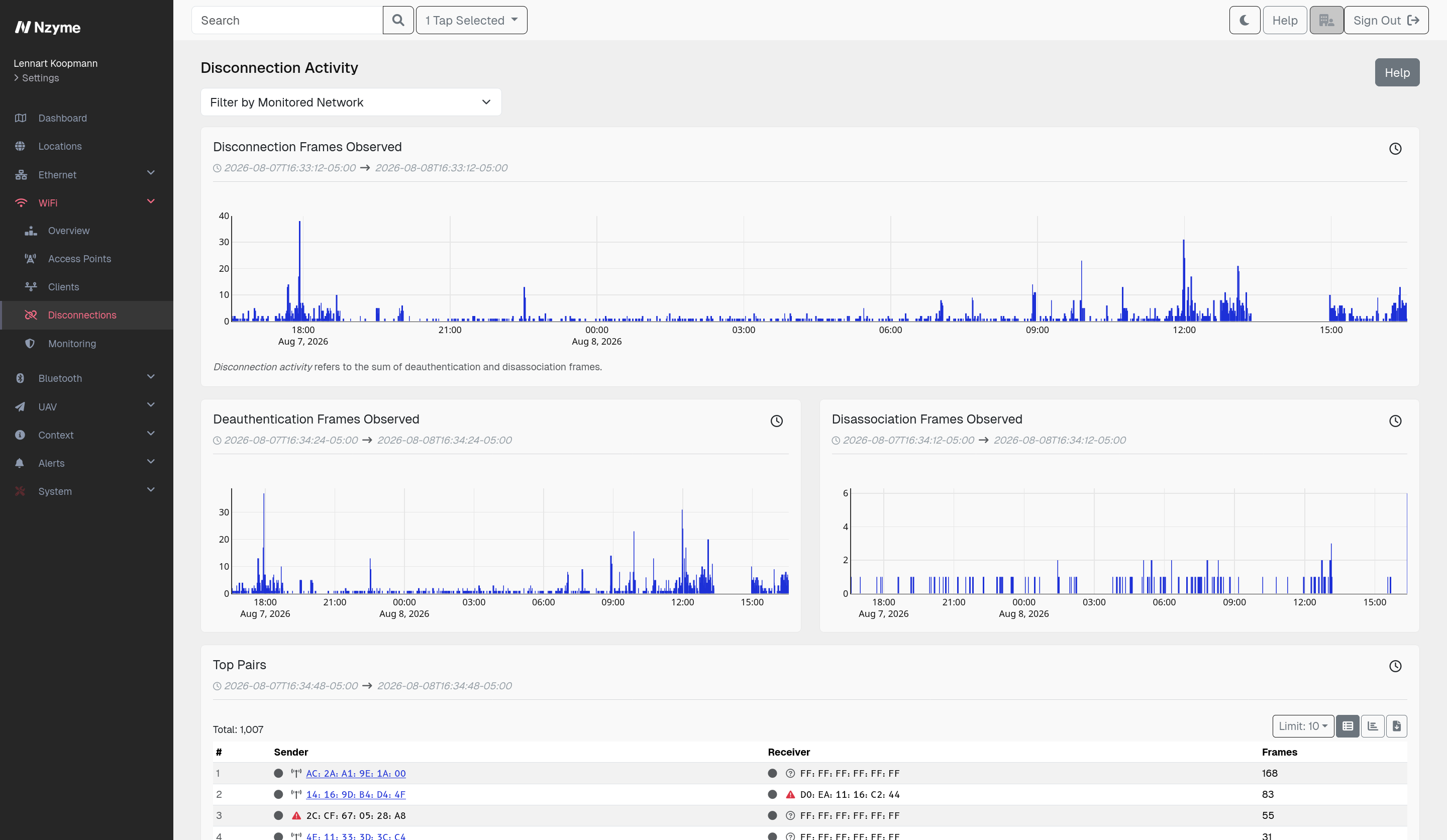
  • Disconnection anomalies. Nzyme counts deauthentication and disassociation frames involving your access points and alerts when the volume leaves its normal range.
  • Client monitoring. Approve the clients that belong on the network and get alerted when anything else connects to it.

You do not have to type any of this in by hand. Nzyme can build the expected configuration from its own observations, or import it directly from your wireless network controller API, and you review it before it goes live.

Every detection can be enabled or disabled per network, so you only get the alerts that make sense for your environment. Network Monitoring is the backbone of Evil-Twin Detection.

Deauthentication Monitoring

A deauthentication frame tells a client it is no longer connected. It is a normal part of how WiFi works, and in most networks it is not authenticated, so anyone in range can send one on behalf of your access point and knock a device off the network. Disassociation frames do much the same thing. Nzyme groups both under the term disconnection frames. Protected Management Frames close this gap, but they are still far from universally deployed, and a client that has not associated yet is not covered by them.

Why attackers send them

Disconnection frames are used either as the attack itself or as the setup for one.

  • Denial of service. A steady stream of frames keeps devices off the network, which is disruptive on its own and effective against wireless cameras, sensors, and access control.
  • Forcing a client onto an evil twin. Knocking a device off the real network is the quickest way to get it to connect to a look-alike instead.
  • Capturing a handshake. Forcing a reconnect produces a handshake which an attacker can take away and crack offline.

How Nzyme helps

Nzyme sensors record disconnection activity continuously, so you can see the normal rhythm of your environment and recognize when it changes. Because disconnection frames are common background noise in any busy area, alerting is tied to the networks you actually care about: you set a threshold per monitored network, based on what a normal day looks like there, and Nzyme alerts when the volume goes past it. Real attacks are rarely subtle, often generating hundreds or thousands of frames a minute where a quiet network sees a handful.

Timelines

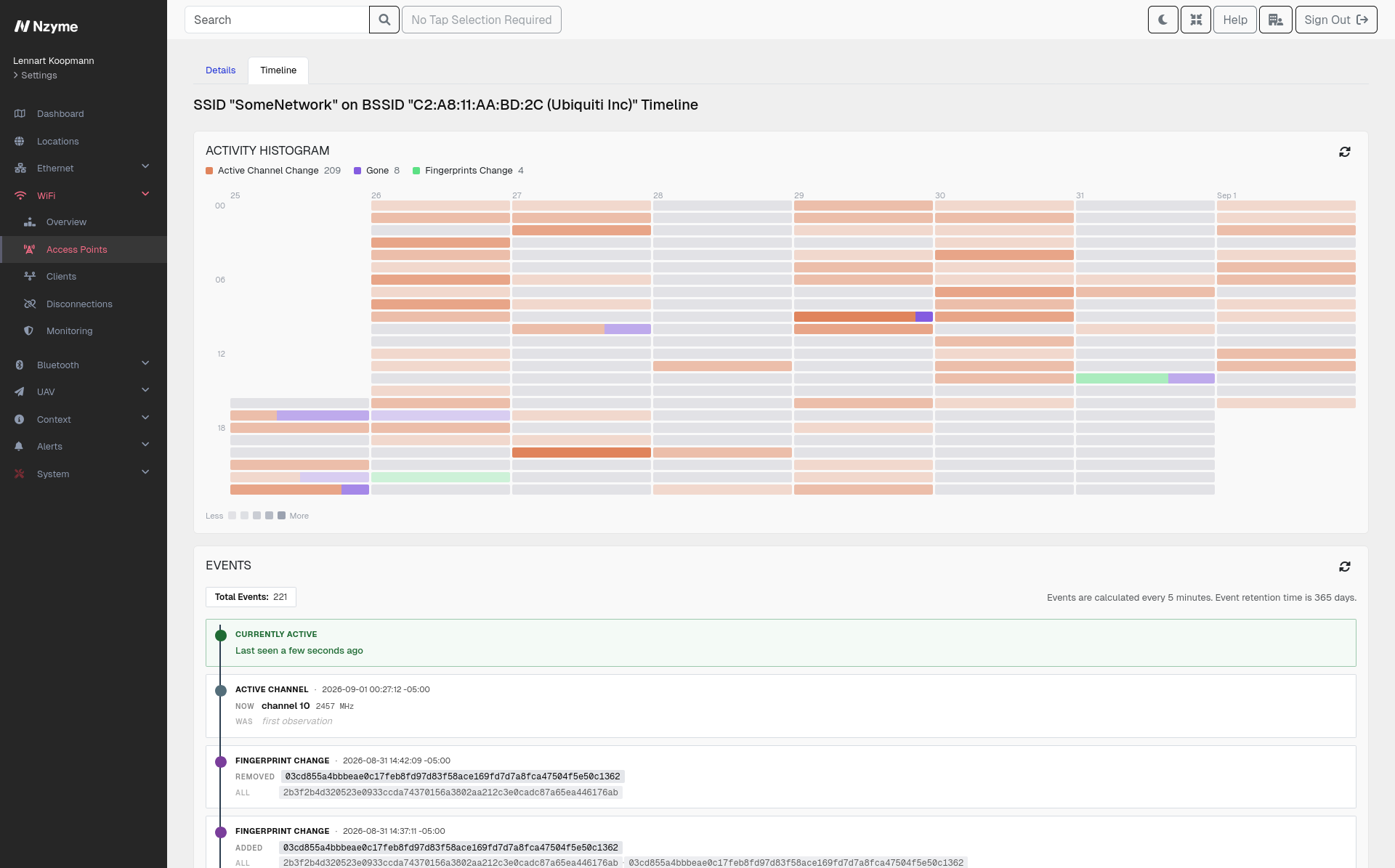
An alert tells you something is wrong right now. An investigation asks a different question: how long has this been going on, and what changed? Timelines answer it by showing how an access point or a network looked over time, and exactly when that changed. Instead of a snapshot of your wireless environment, you get its history.

Nzyme continuously records the properties of every BSSID and SSID its sensors observe and turns any change into a timeline event. Nothing needs to be configured in advance, and the timeline covers data from all of your sensors, so you can follow a device across locations.

A timeline makes questions like these quick to answer:

  • When did this network first appear, and has it been here the whole time?
  • Was this access point always advertising WPA3, or did it change at some point?
  • When did this BSSID start showing up on a channel it never used before?
  • Which sensors have seen it, and when did it move?
  • Did its fingerprint change, and does that line up with the maintenance window someone mentioned?

Timelines are built for investigation and threat hunting rather than alerting. When you want to be told about a deviation as it happens, use Network Monitoring. When you have an alert in hand and need to understand what led up to it, use Timelines.

Monitors

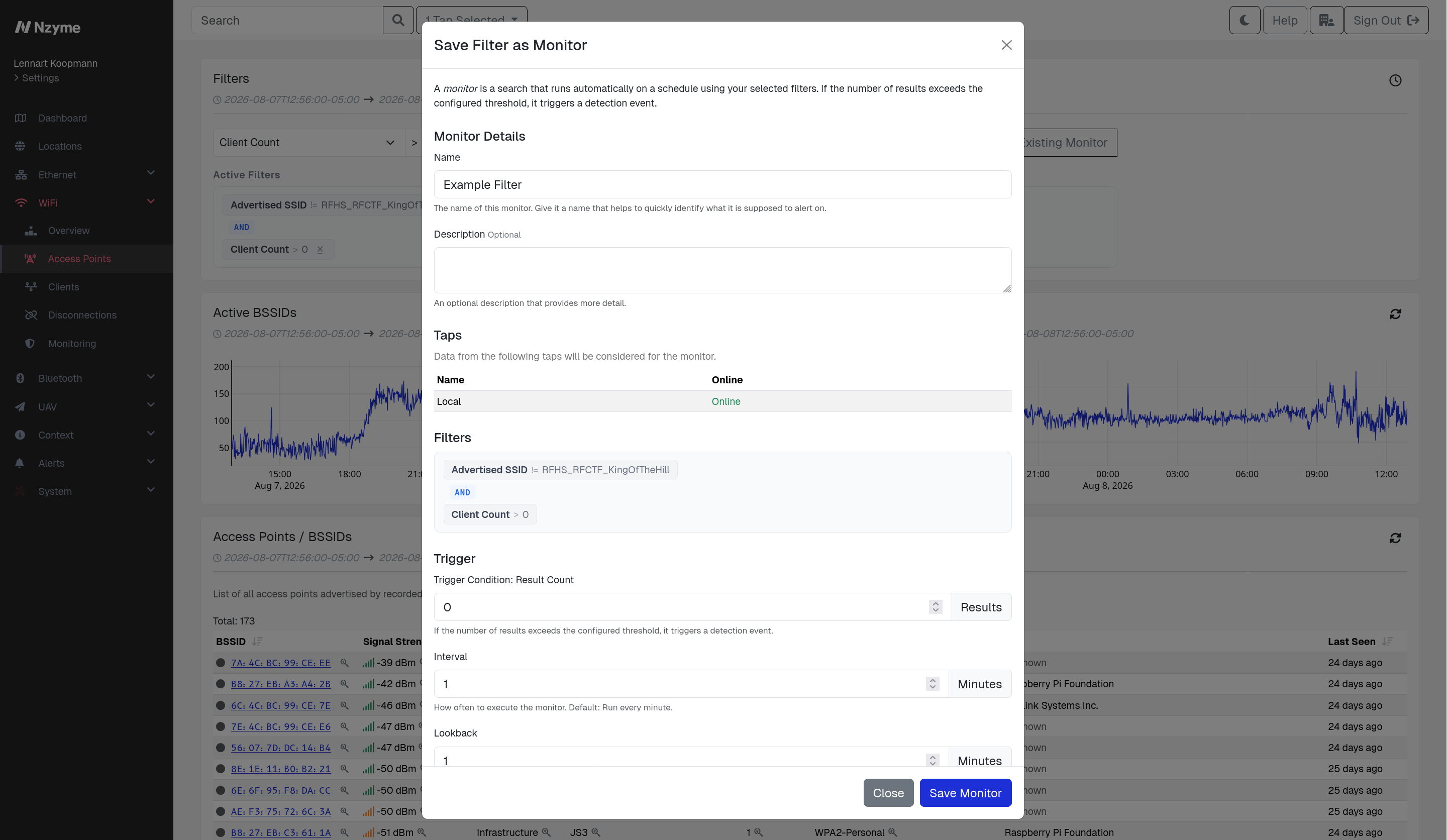
Nzyme ships with detections for the attacks and conditions most organizations care about, but every environment has its own definition of unusual. Monitors close that gap by turning any search you can run in Nzyme into a standing alert condition. If you can find it once with a filter, you can have Nzyme keep watching for it.

How they work

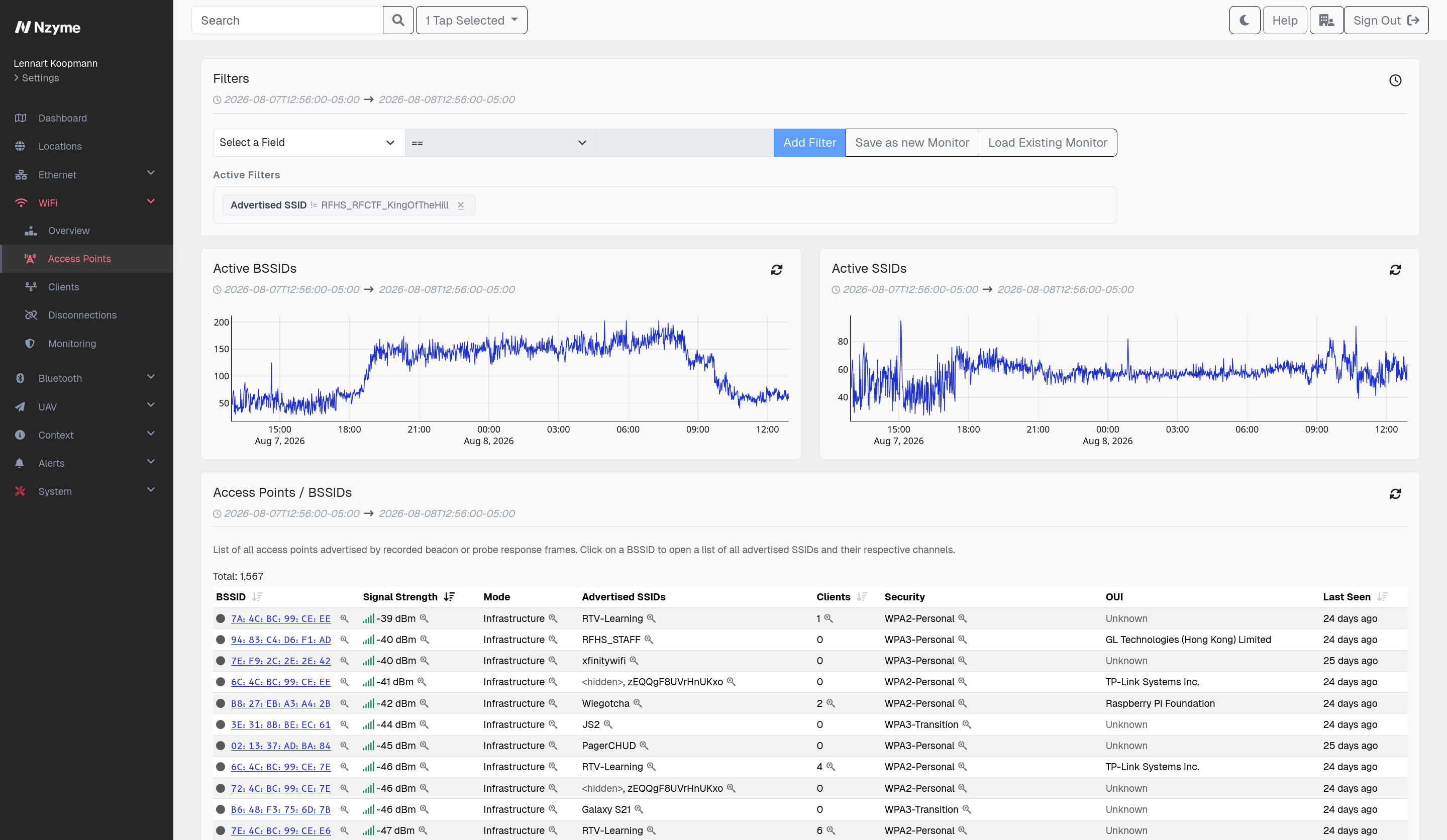
You build a search on any supported page, narrow it with filters, pick the taps it should cover, and save it as a monitor. From then on Nzyme runs that search on a schedule and raises a detection event whenever the number of results crosses the threshold you set.

  • Built from the searches you already run. Any supported search page has a Save as new Monitor option, so there is no separate query language to learn.
  • Runs on a schedule. Each monitor has its own interval and lookback window, from once a minute to whatever pace fits the condition you are watching.
  • Triggers on a count, not just a match. The trigger condition is based on how many results the search returns, which lets you separate normal background activity from a real spike.
  • Alerts like any other detection. A triggered monitor produces a regular Nzyme detection event, so it flows into the same alerting and notification paths as everything else.
  • Reusable as a filter. Anyone can load an existing monitor on a search page to see exactly what it matches right now, which makes tuning straightforward.
  • Permission controlled. Creating and editing monitors requires the Manage Monitoring permission for the subsystem.

Bluetooth Monitoring

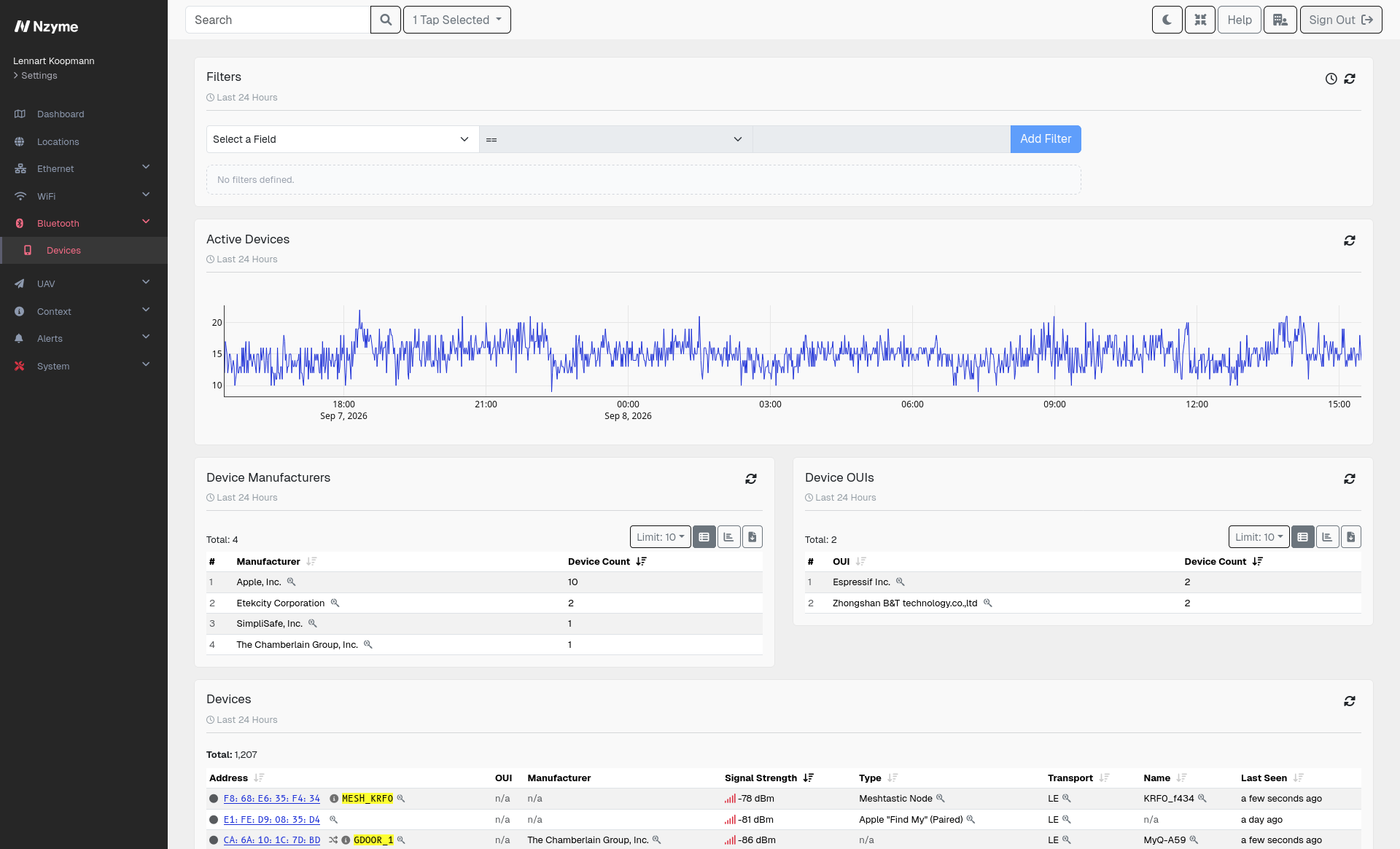
Bluetooth is everywhere in an office. Devices advertise themselves constantly, and most environments have no record of which ones are around: headsets and speakers, keyboards and mice, trackers, cameras, medical and industrial equipment, and radios like Meshtastic nodes. These devices can record audio, log keystrokes, or carry data out of a building without ever touching your network.

Nzyme sensors pick up the devices advertising in range of your locations and keep a record of them, the same way they do for WiFi.

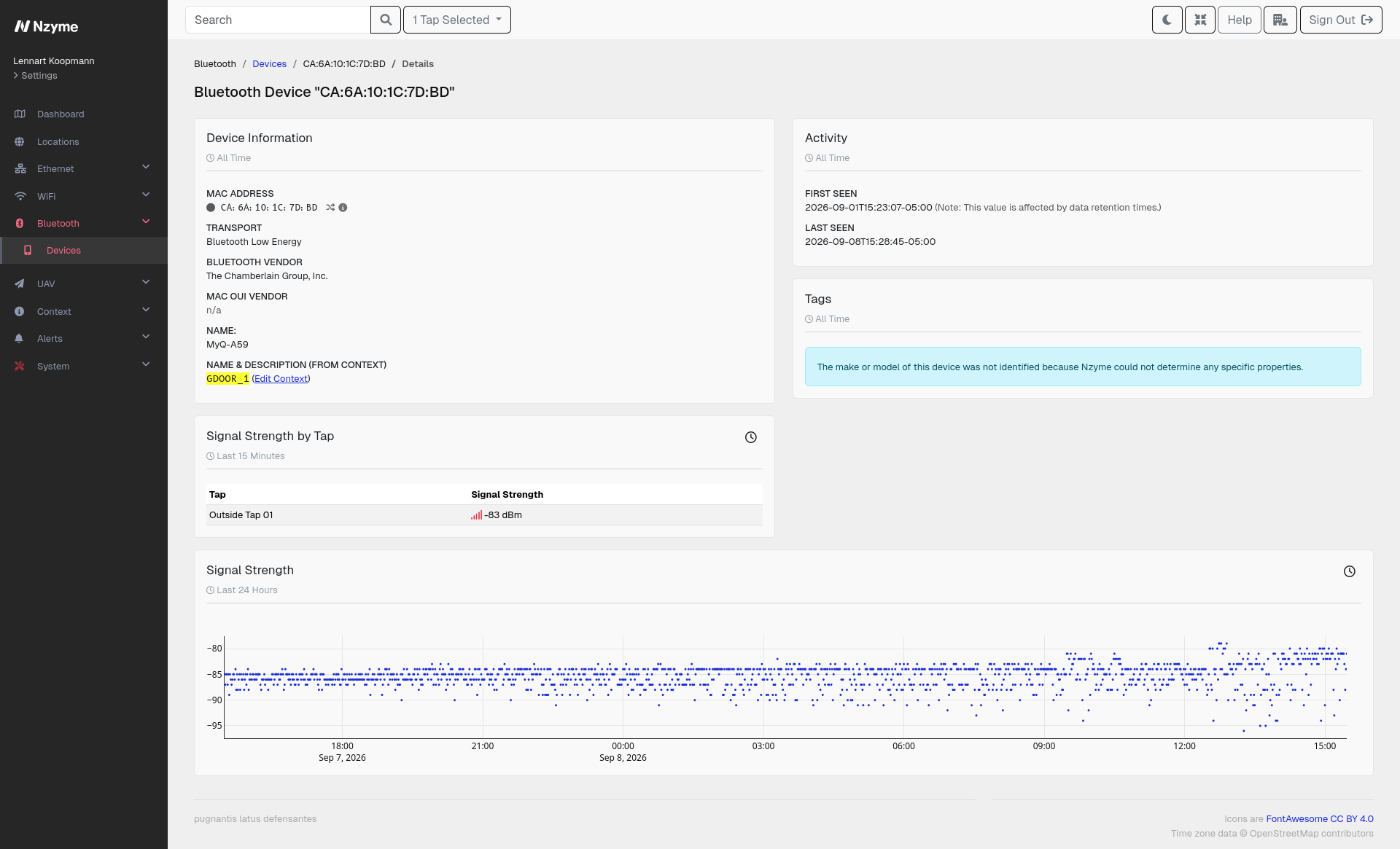
  • Sees every device in range. Each one is recorded with the attributes it broadcasts, along with where and when it was seen.
  • Tells you what a device actually is. Nzyme interprets the advertised parameters to classify devices, so you learn that something in the room is a microphone or a Meshtastic node instead of just seeing a MAC address.
  • Alerts on what matters to you. Use Monitors to turn any search over this data into a standing alert, like a device type that has no business being in a given location.

Bluetooth monitoring is newer than the rest of Nzyme and is being actively expanded. Detection and analysis depth will be growing with each release.