Nzyme v2.0.0-alpha.19 has been released
This giant update brings an enormous amount of improvements to the entire product, adds WiFi features, and moves the Ethernet subsystem to it’s first major milestone.
Changelog
- New Feature: Monitors
- New Feature: Timelines
- New Feature: Locations
- New Feature: Support for Sona, the official Nzyme WiFi sensor
- Ethernet Subsystem Features and Improvements:
- Overview Page
- Asset Management and List
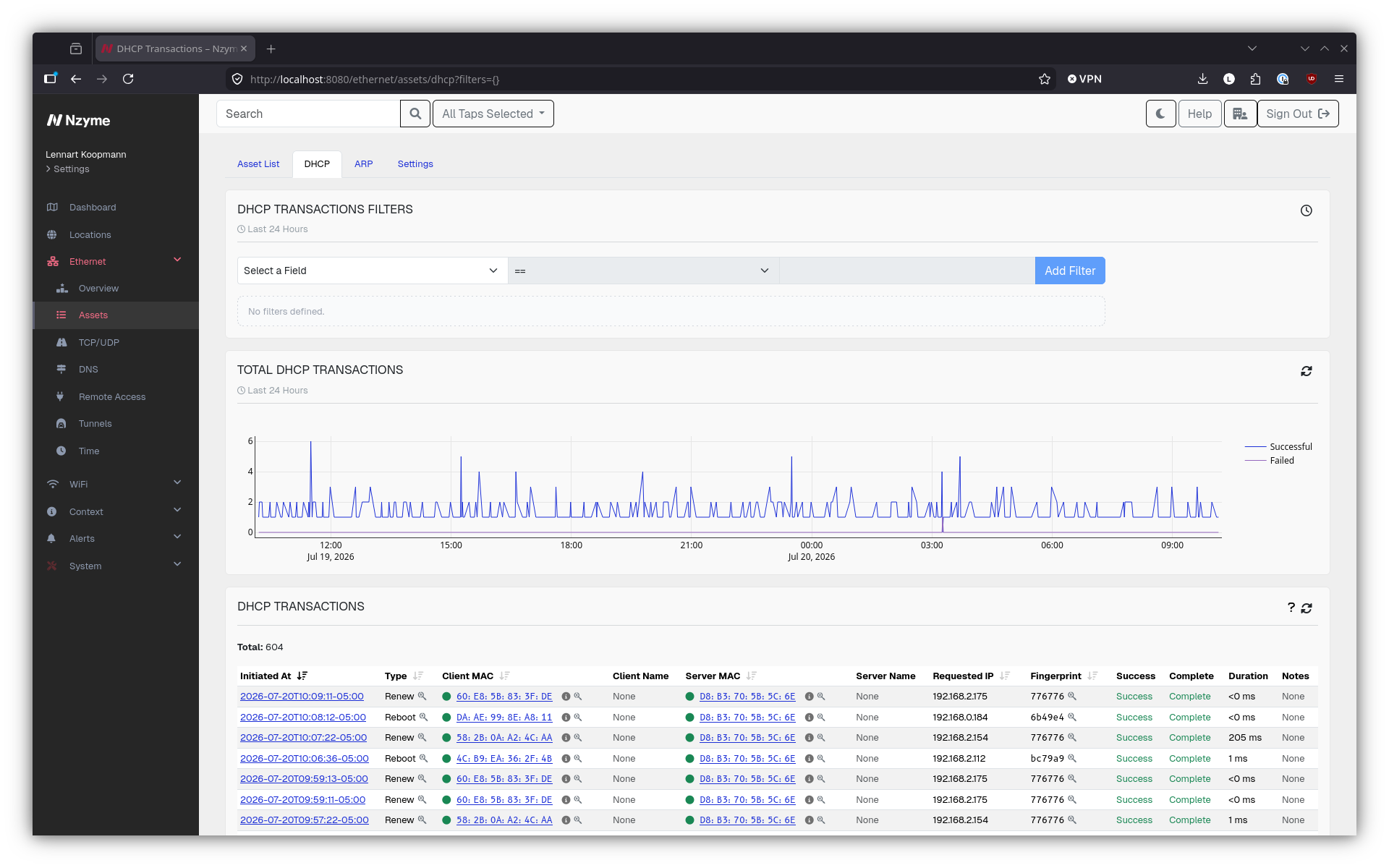
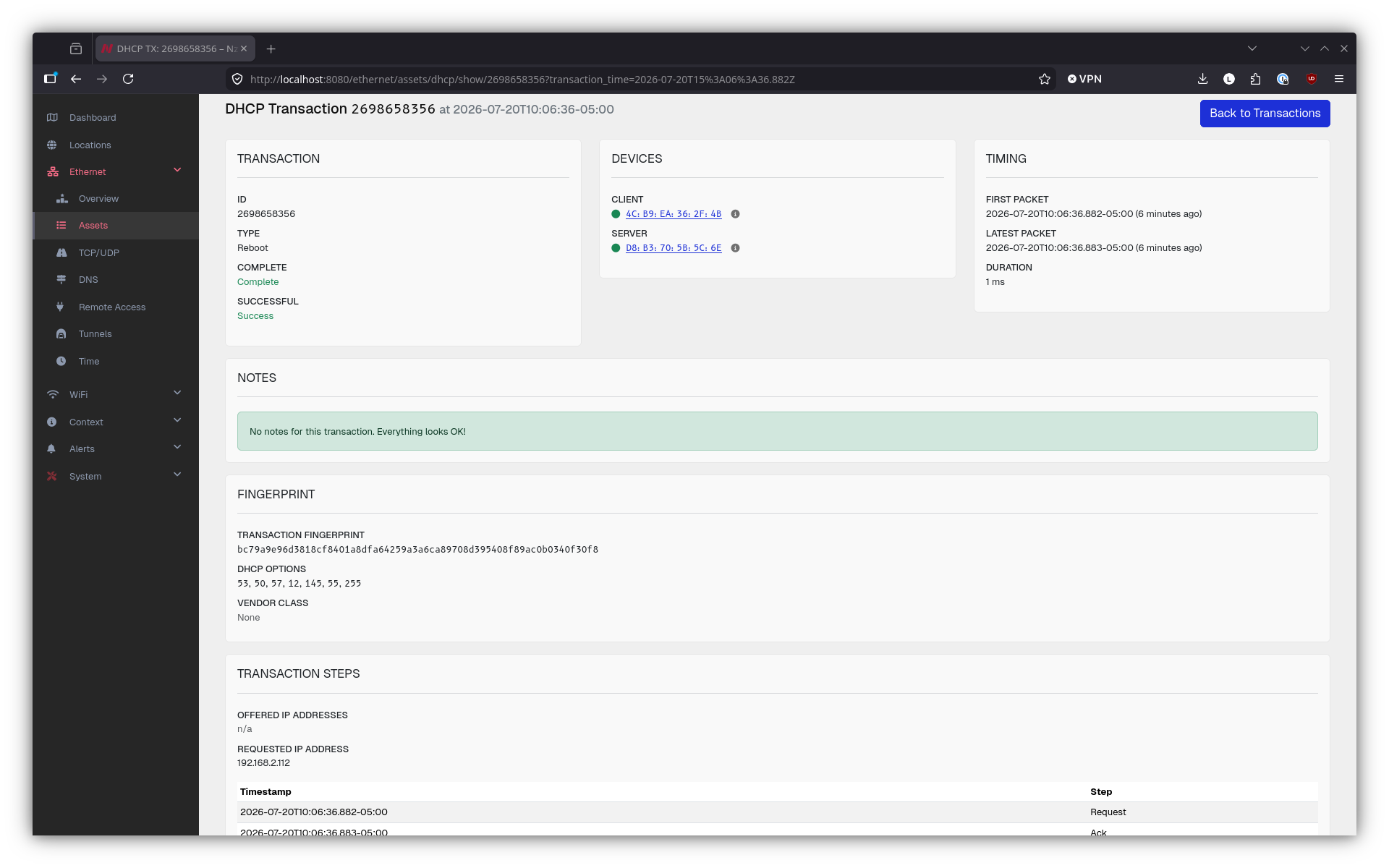
- DHCP Support
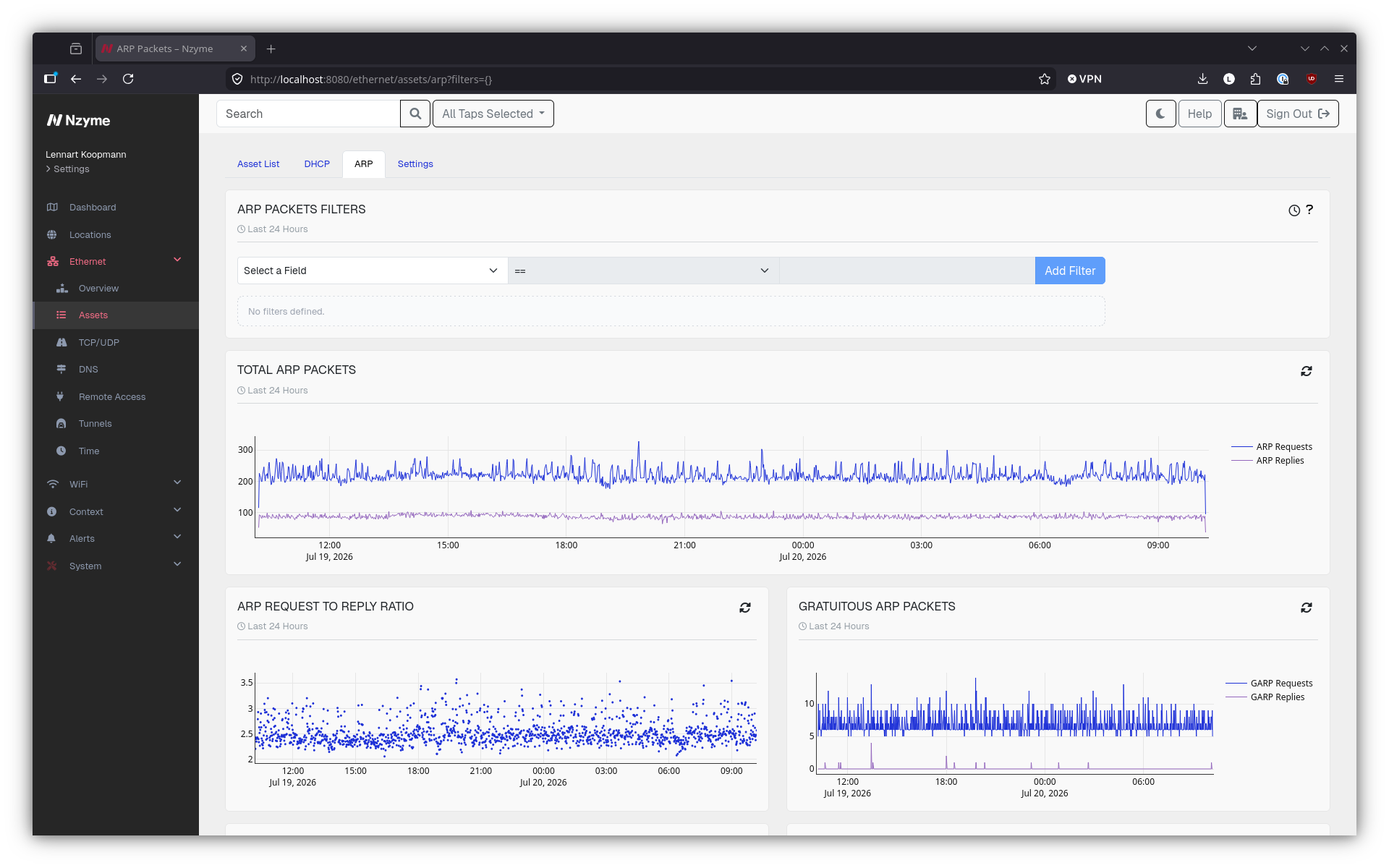
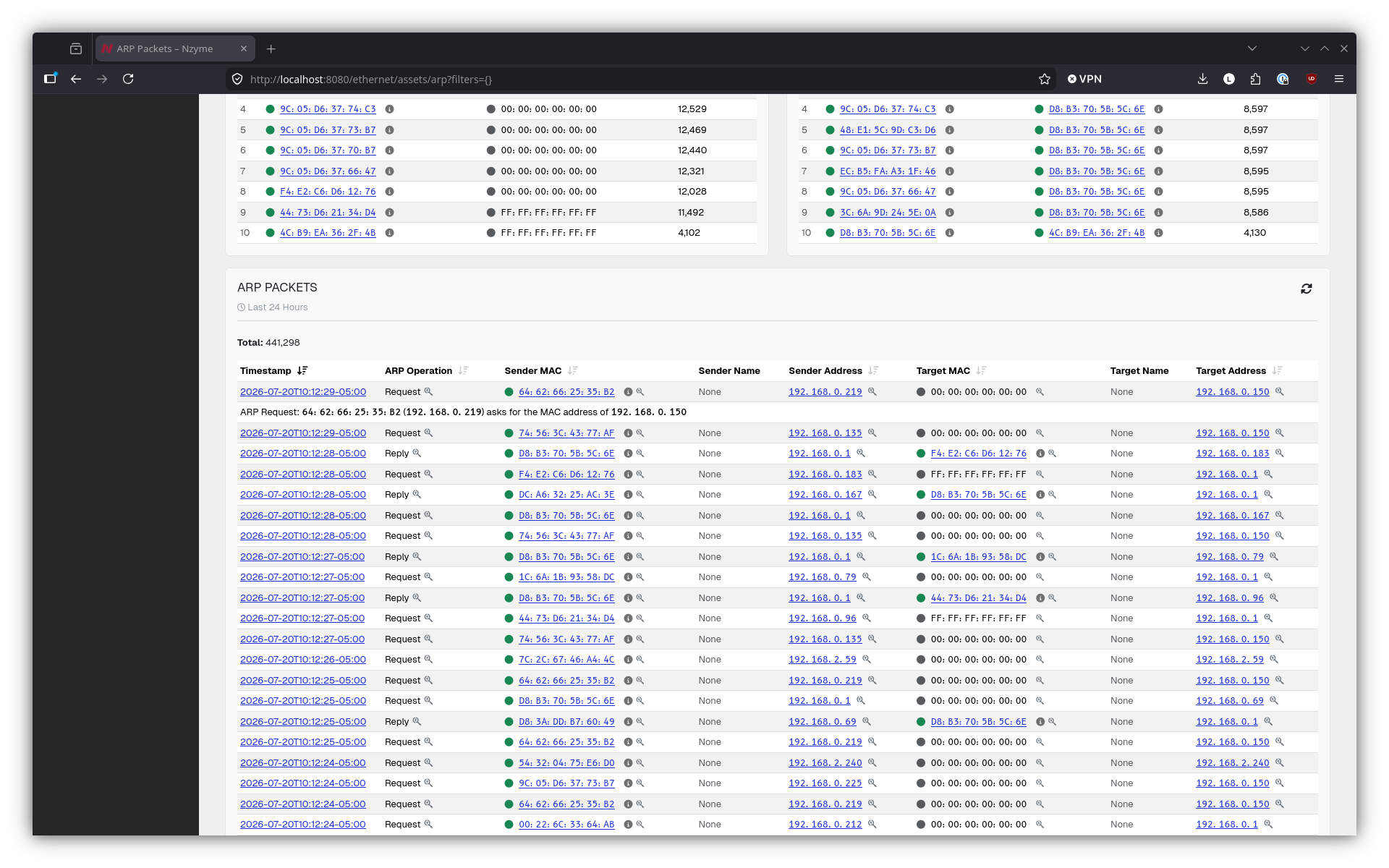
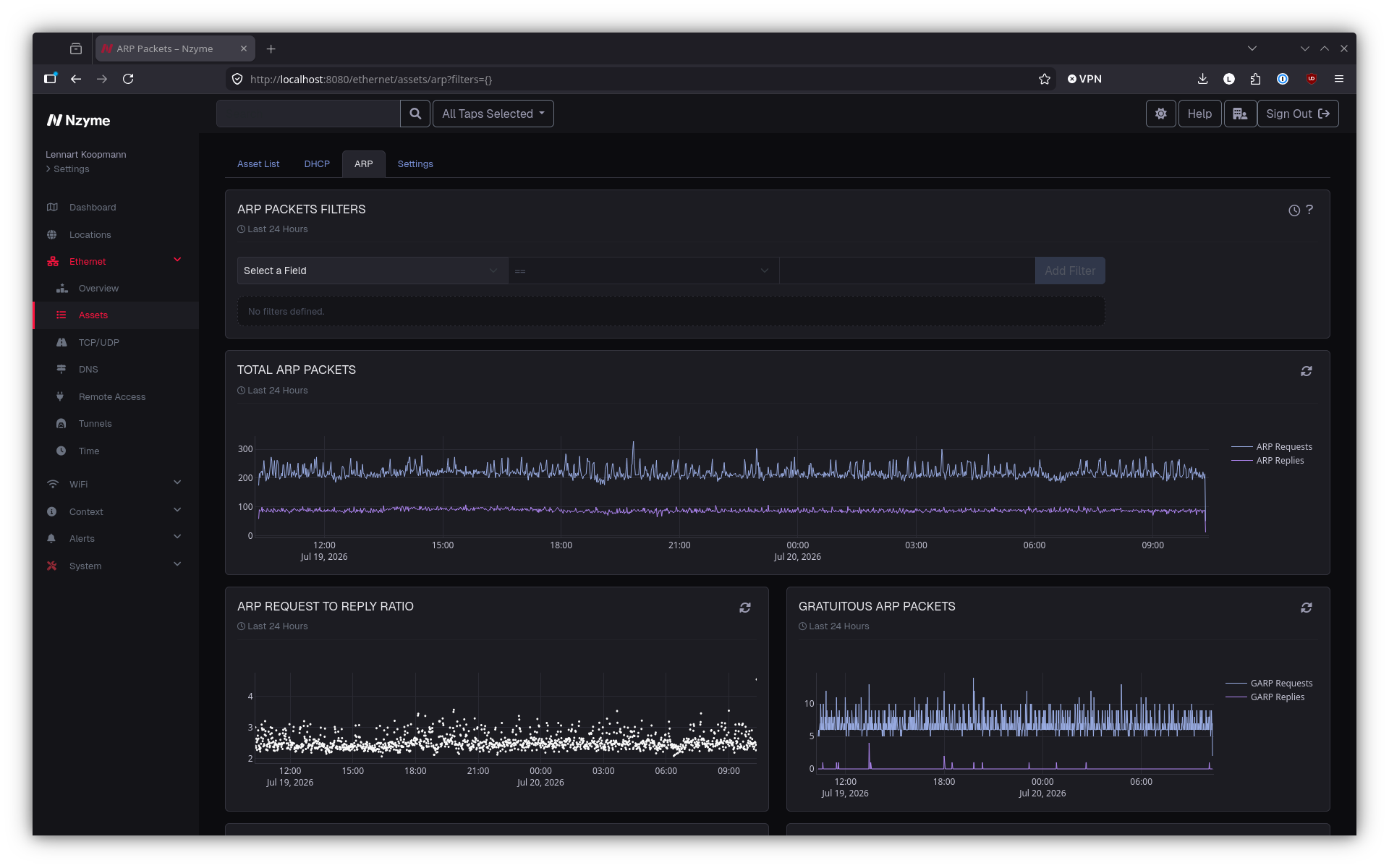
- ARP Support
- NTP Support
- IPv4, UDP, and TCP Support
- Geo IP support across all data
- Details Pages for SOCKS Tunnels and SSH Sessions
- Asset details across all pages
- New Feature: Organization and Tenant Quotas
- New Feature: Global Tenant Selector
- New Feature: Persistent URL Parameters
- New Feature: Webhook Event Callback
- New Feature: Syslog Event Callback
- New Feature: Android Tap Debugging
- New Feature:
nzyme-util - Improvement: New Tap Selector
- Improvement: New WiFi subsystem database model for massive performance increases
- Improvement: Official packages for RPi OS 13 (Trixie) and Ubuntu Server 26.04 (Resolute) (dropped support for RPi OS 12 and Ubuntu Server 22.04)
- Improvement: Java runtime now packaged by default and no longer reliant on operating system packages
- Improvement: Pagination and sorting for Known SSIDs table, option to approve all SSIDs (or by prefix) at once, dwell time configuration
- Improvement: Time range selection from charts
- Improvement: Database retention cleaning performance improvements
- Improvement: Trigger health monitor events only on status change
- Improvement: Better colors for dark theme
- Improvement: Now reporting Raspberry Pi temperature of taps
- Improvement: Proper page titles across the entire web interface
- Many Small Bug Fixes and Improvements Across the Entire System
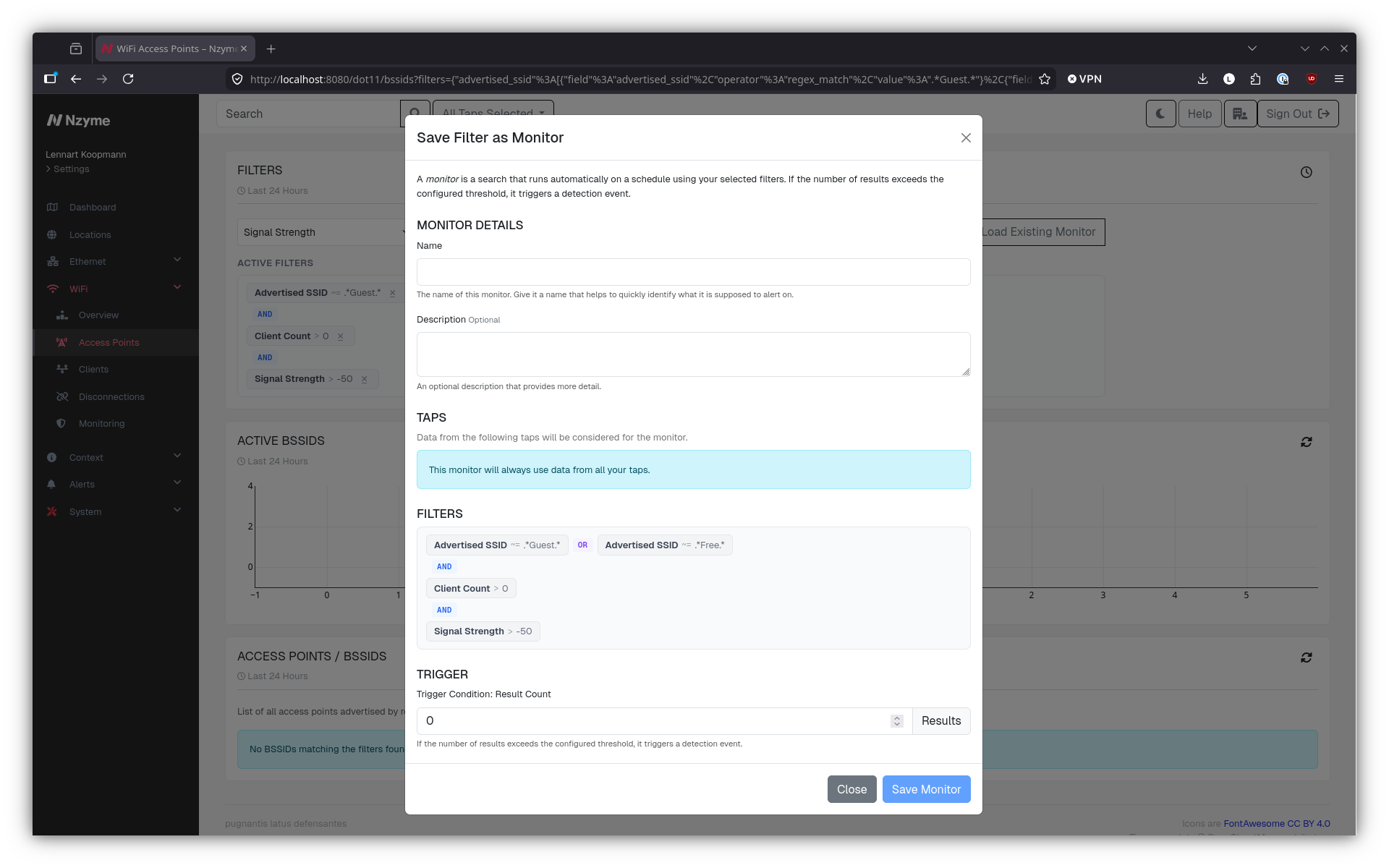
New Feature: Monitors
Nzyme has always had ways to trigger detection events when certain threats were detected. However, those alerts were always based on fairly static and built-in rules. This is great because it means you don’t need to write your own queries, but it also means there are a bunch of detections you simply won’t have until we build them in.
The new monitors feature lets you model custom detections. For example, you could create a monitor that looks for a specific MAC address or advertised network name.
Our goal is to make Nzyme as easy to use as possible, without having to learn weird rule definitions or complex query languages. That is why we built the monitors feature on top of the existing filtering logic.
To create a monitor, you simply run a search with filters. Once you are happy with the search and its results, you can save the filters as a monitor, which will then be executed regularly. If the result count of the automatically executed monitor search exceeds a certain threshold, a detection event is triggered.
You can also use monitors as saved searches, letting you replay a filter set without re-creating it each time, with a name attached to it.
New Feature: Timelines
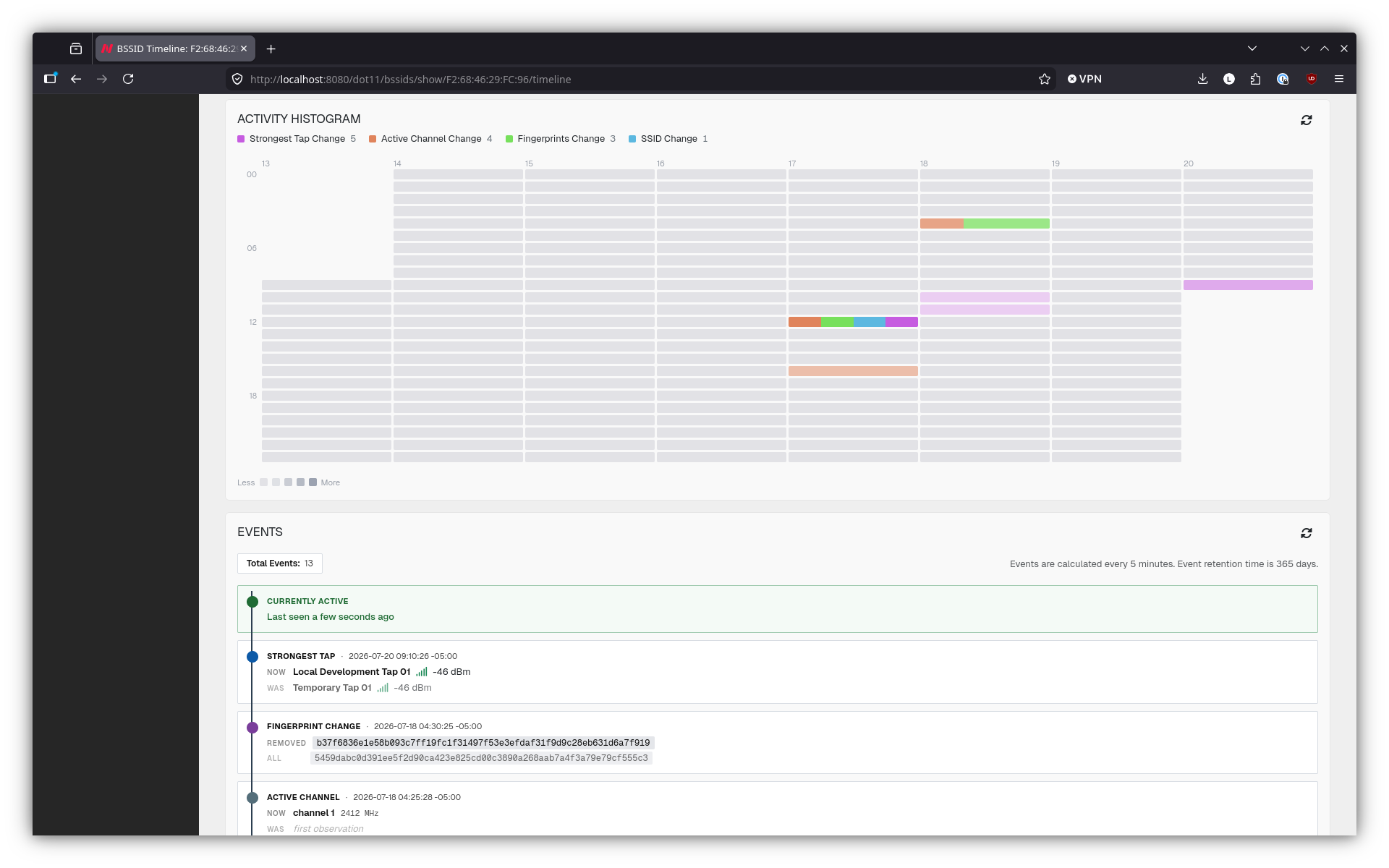
WiFi access points (BSSIDs) and networks (SSIDs) now have a new view, called Timelines. Timelines break down changes to the observed properties into events that are easy to parse. This view of the data is extremely helpful for threat hunting and incident response, where it is critical to understand how a network’s configuration changed over time.
New Feature: Locations
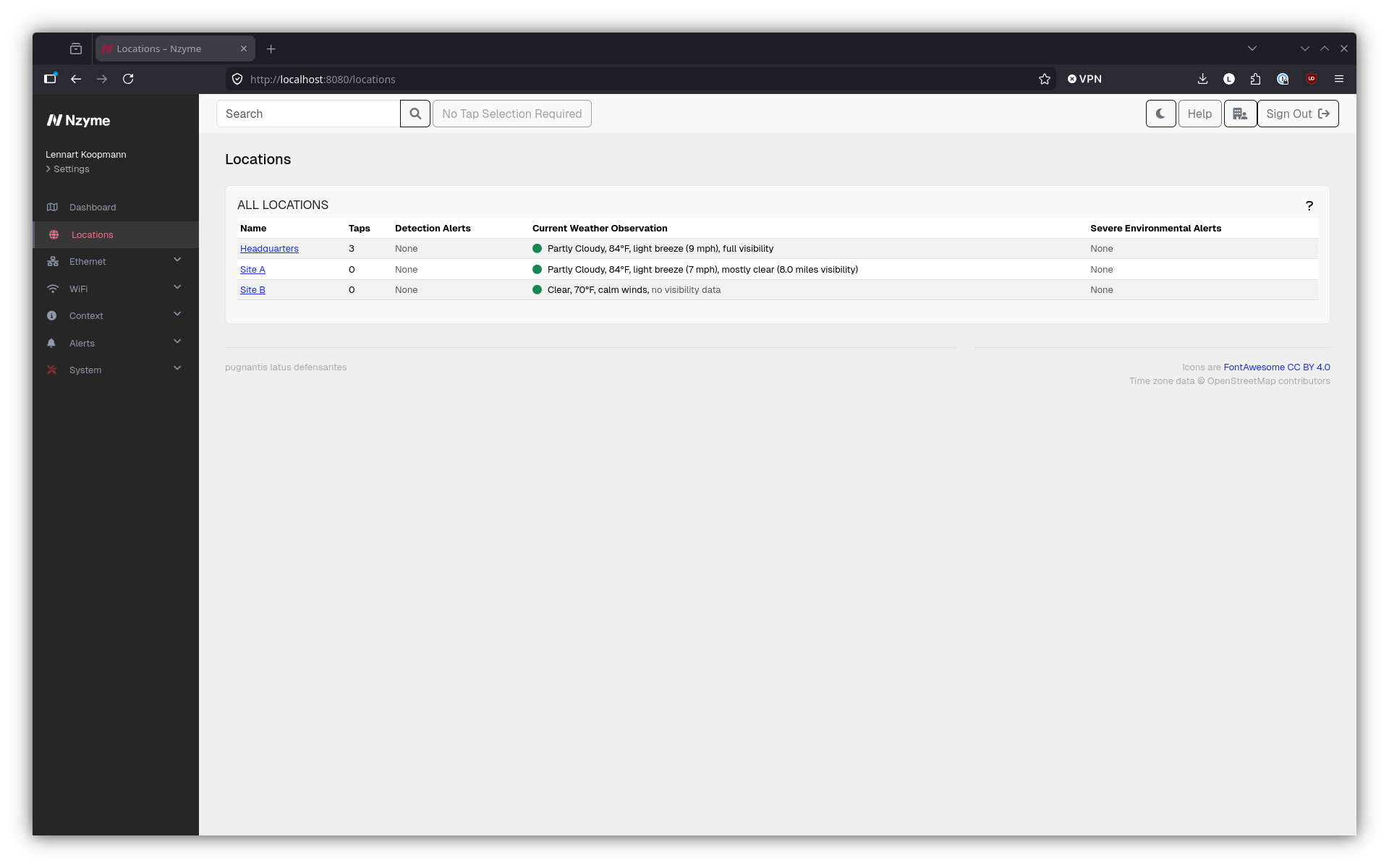
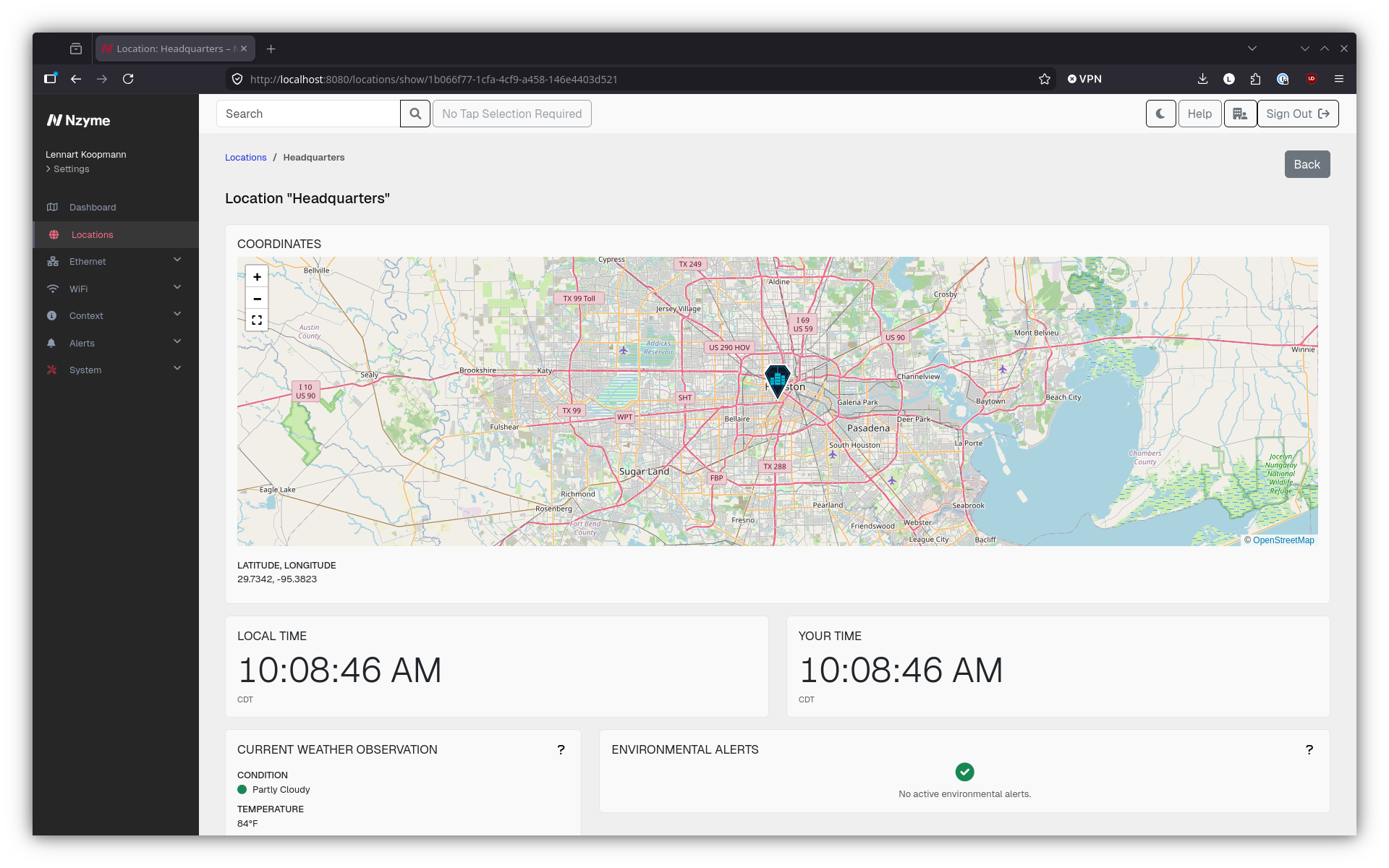
The existing locations feature, which historically only allowed you to define floors and upload floor plans, now allows you to define the latitude and longitude of a location that has Nzyme deployed. Additionally, taps can not only be placed on floors, but also be assigned to locations more generally.
This combination of defining where in the world a location is and what taps are at that location lets Nzyme present a better overview of the security state of each of your locations.
Detection alerts are grouped by location. On top of that, locations now pull in environmental data (like weather and storm warnings) from Nzyme Connect. In the future, we will make more and more use of this location awareness to improve detection opportunities and fidelity.
New Feature: Support for Sona, the official Nzyme WiFi sensor
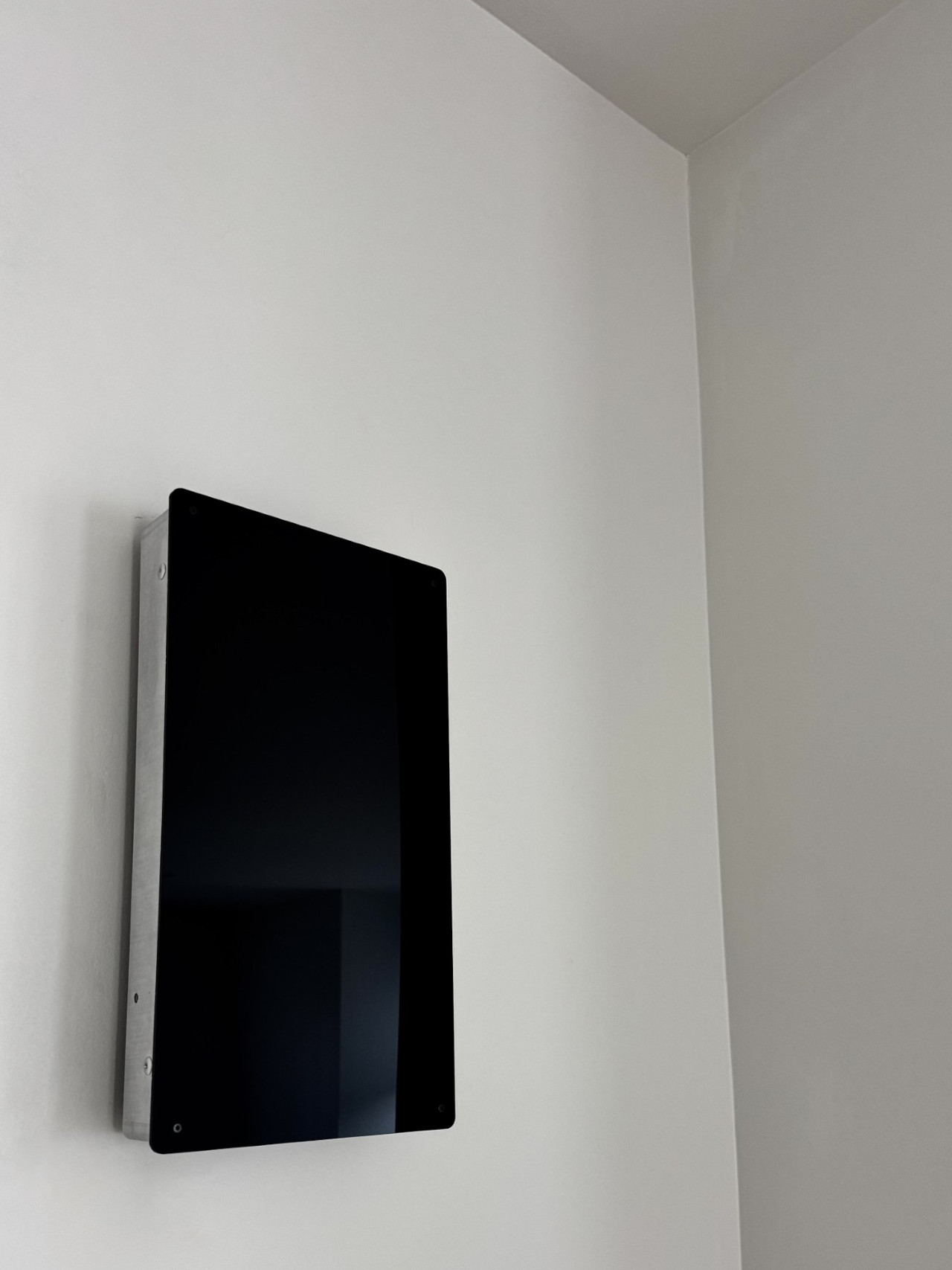
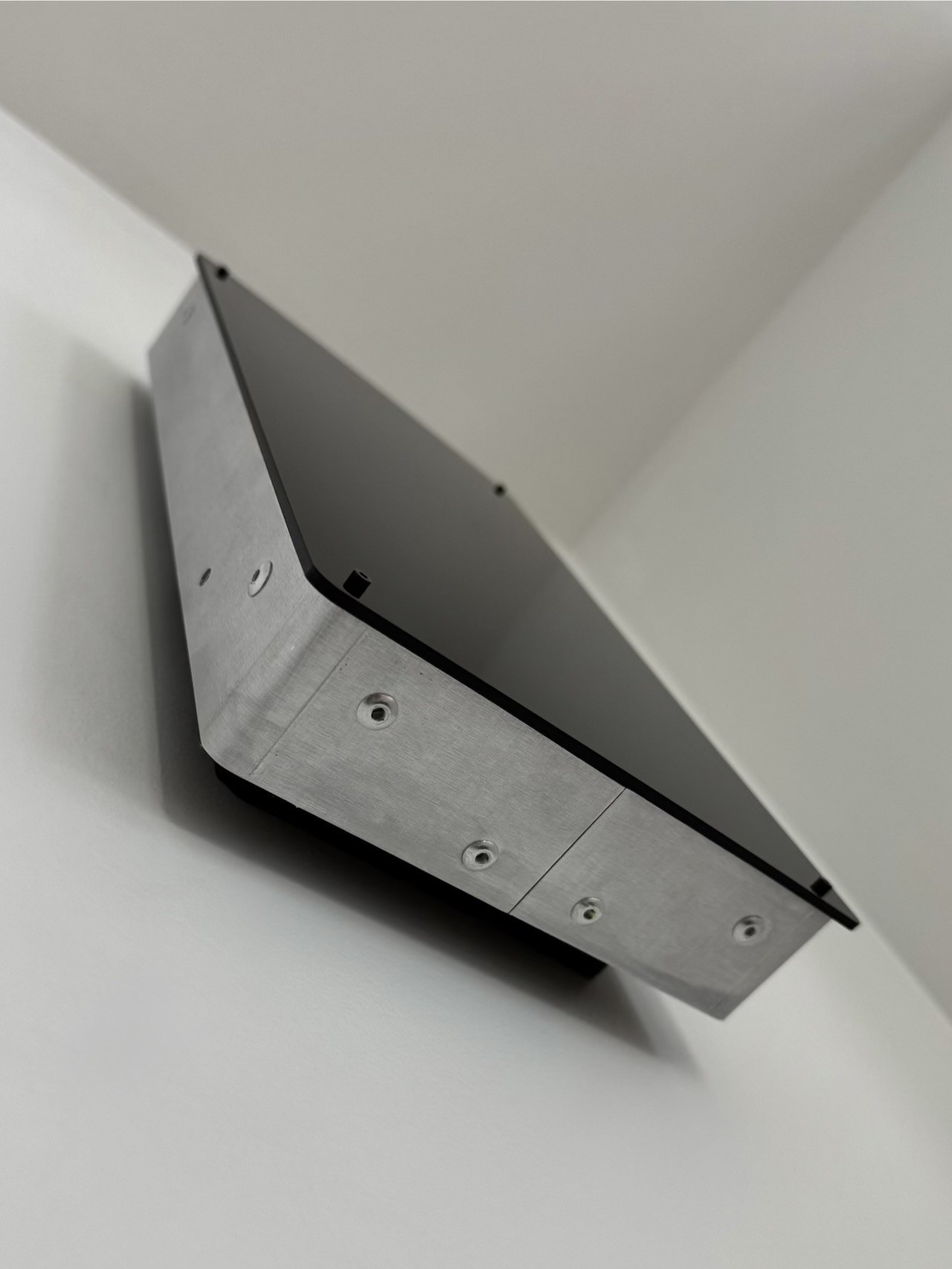
Our new WiFi sensor, called Sona, has been shipping to test customers for custom builds, and now the stable Nzyme builds support it as well. The big benefit of using Sona over other WiFi adapters is that it does not require an operating system driver, has lower power draw, and comes in a beautiful wall-mounted enclosure. Sona connects to the host via USB-C and can read from four WiFi channels in parallel.
These sensors are cut, bent and assembled in Texas.
Ethernet Subsystem Features and Improvements
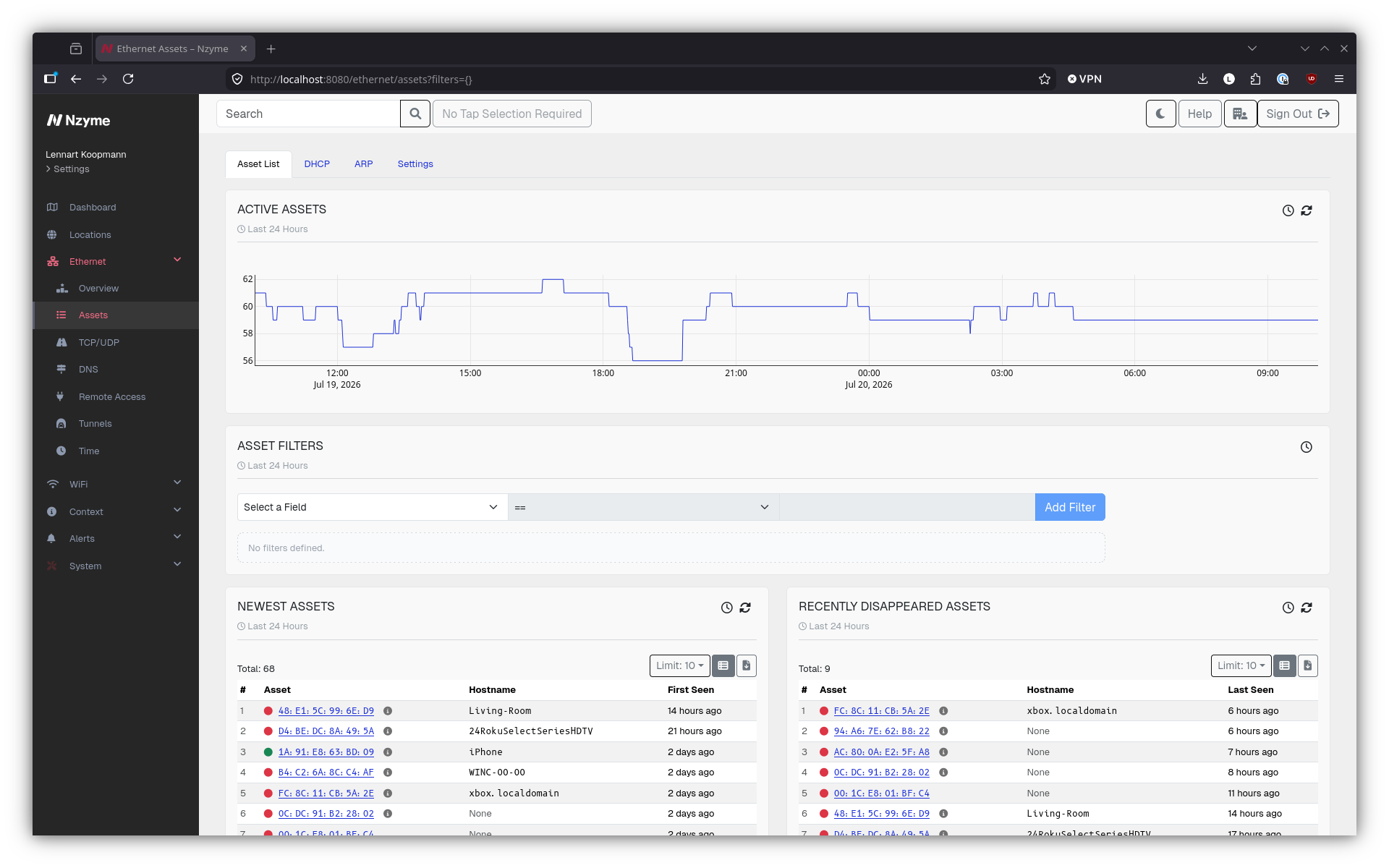
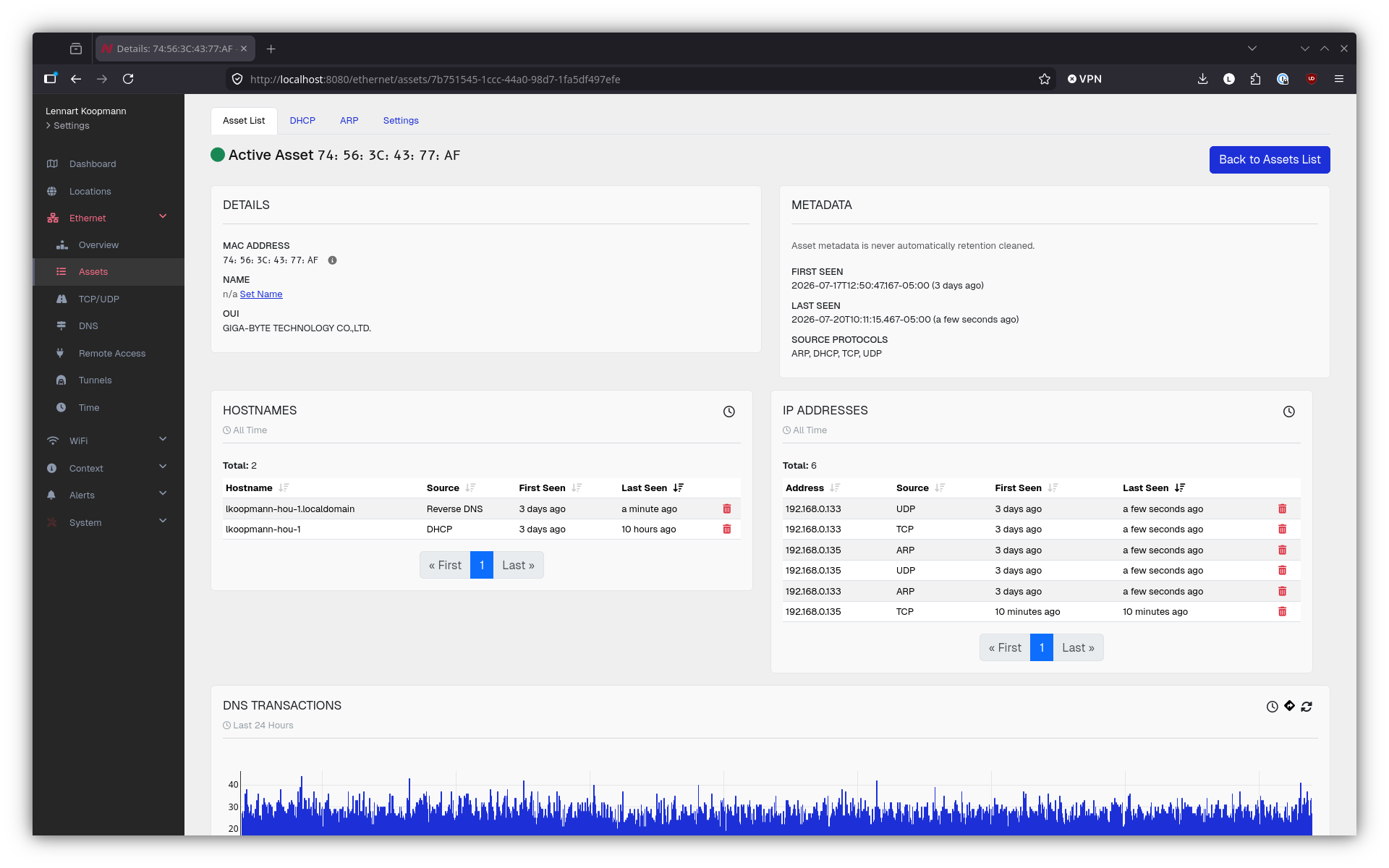
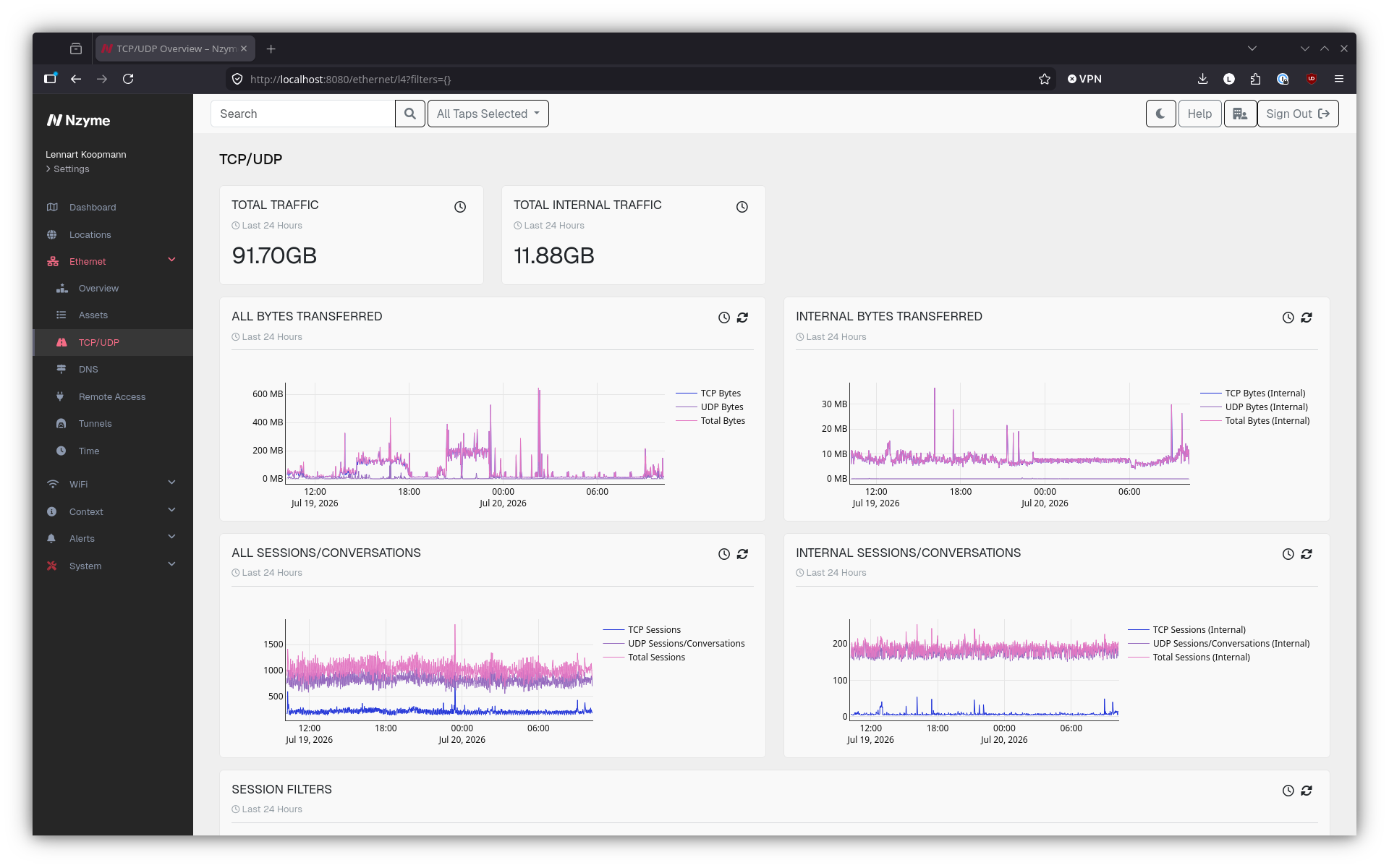
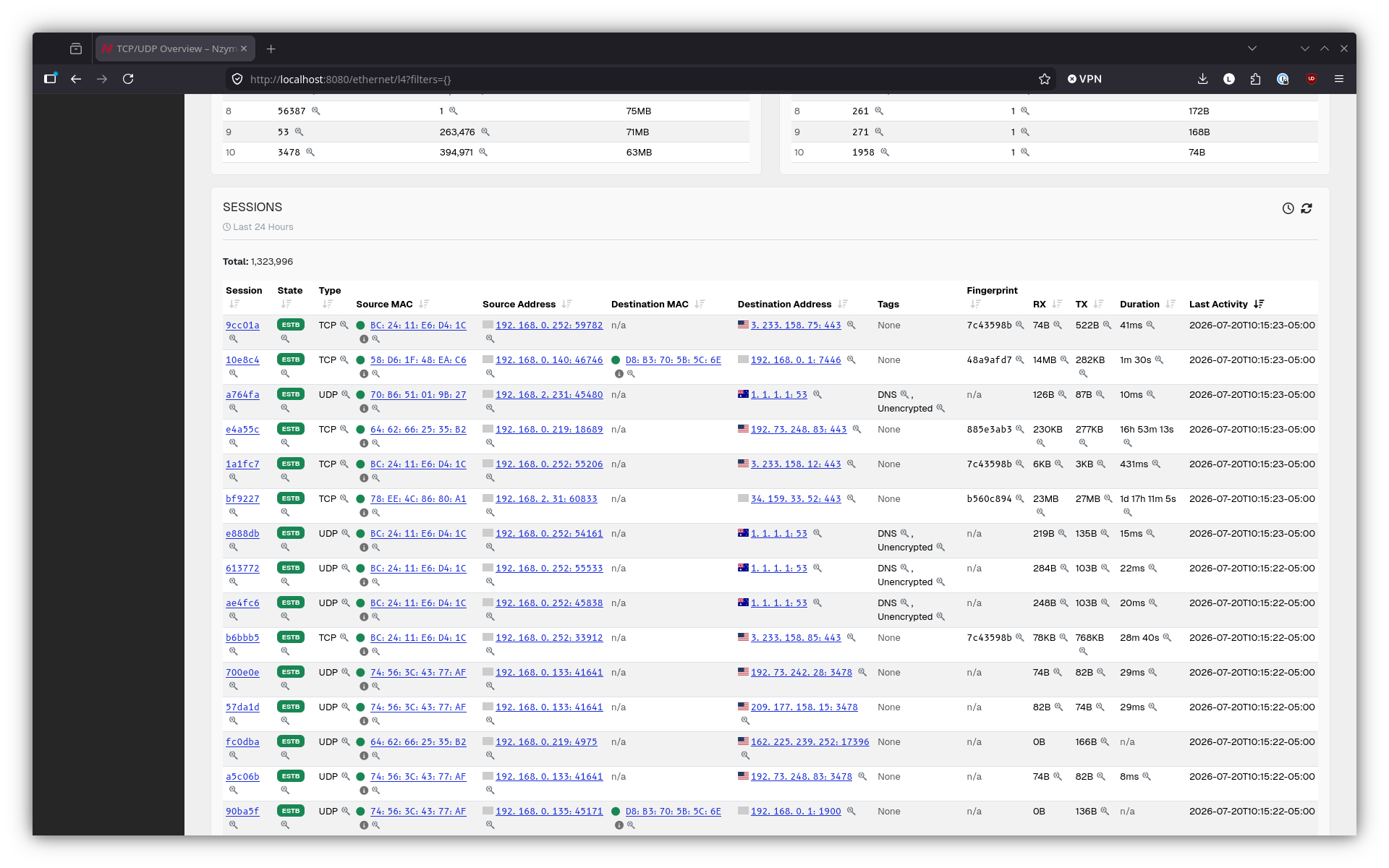
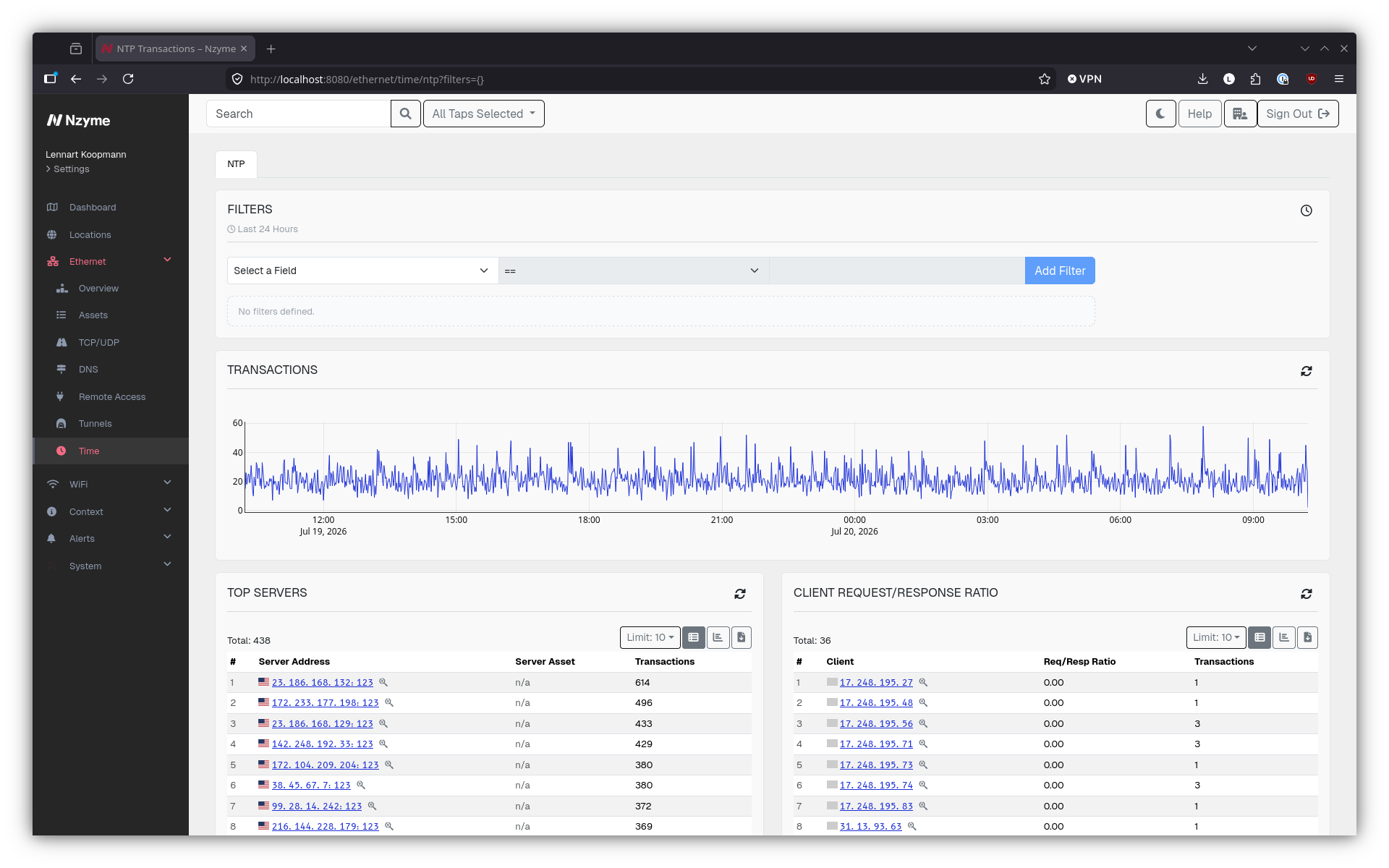
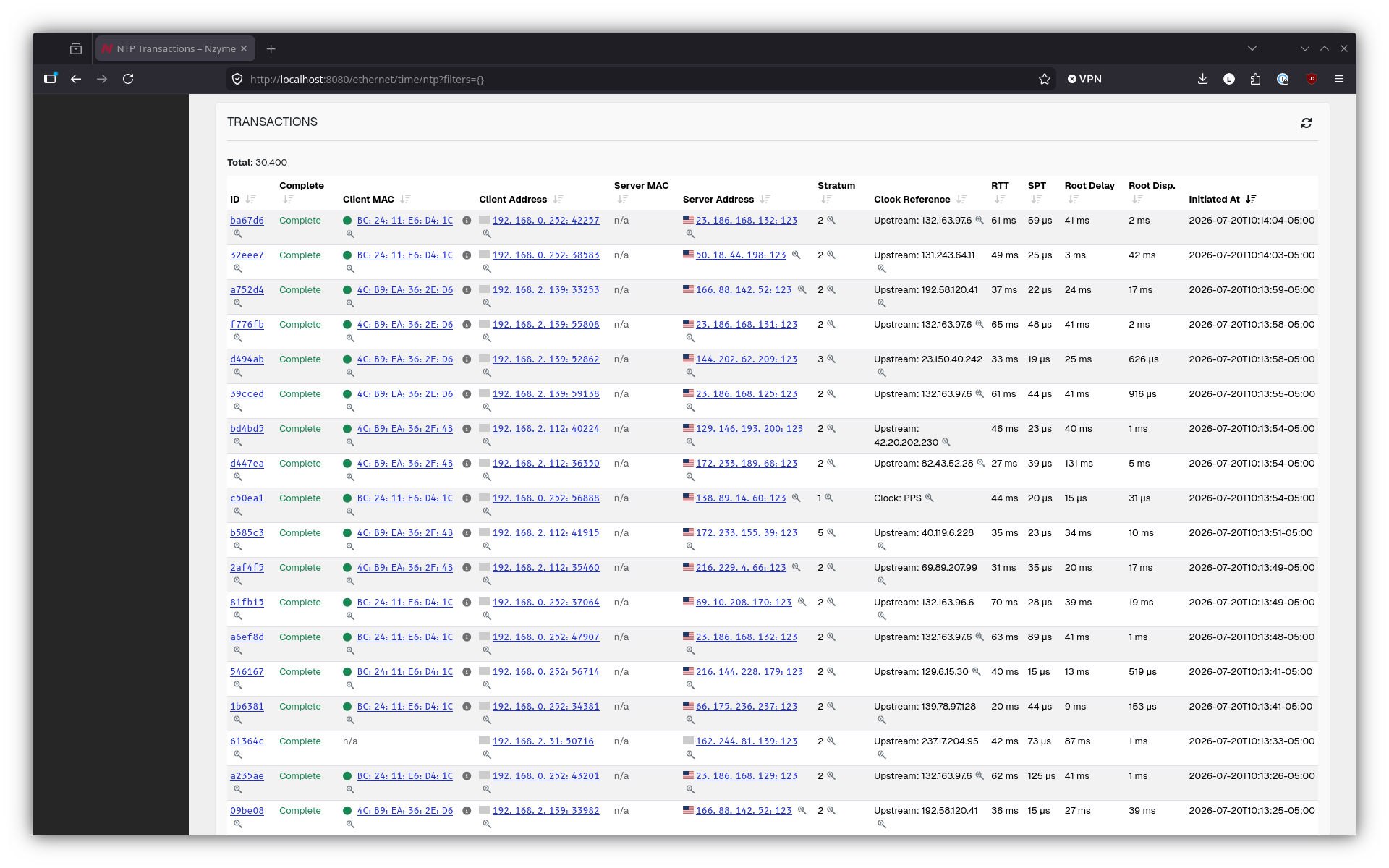
Up until this release, the Ethernet subsystem was extremely limited in functionality. The vision for it is to intersect with the WiFi subsystem to provide additional insights and analysis by combining observed wireless data with wired proof as it matures into an IDS and provides a foundation for correlated detections.
This release focuses on building out the Nzyme asset model. You will see a lot of new functionality around DHCP and ARP. Additionally, more high-level protocols are now parsed to help you identify assets and their activity. Detection is not implemented yet but will follow.
New Feature: Organization and Tenant Quotas
Super and organization administrators may want to control how many resources can be created by their underlying organizations and tenants. By default, creation of resources is unlimited, but with this new release, limits can be put in place for:
- Number of Taps
- Number of Users
- Number of Tenants
New Feature: Global Tenant Selector
As a super or organization administrator, you now select an organization and tenant you want to act as from the top navigation bar. This change removes the many prompts for tenant selection across the web interface. You will be prompted to select a tenant after login.
New Feature: Persistent URL Parameters
When sharing a URL to an Nzyme web interface page, it is critical that the receiver of the URL sees the same data the sender was seeing when sharing it. Previously, the selected time range was not part of the URL, and it now is.
New Feature: Webhook and Syslog Event Callbacks
In addition to the existing email callback, you can now configure webhook and syslog event callbacks for system and detection events. Webhook callbacks support any HTTP URL and an optional bearer token. Syslog callbacks are delivered as structured RFC 5424 messages via UDP.
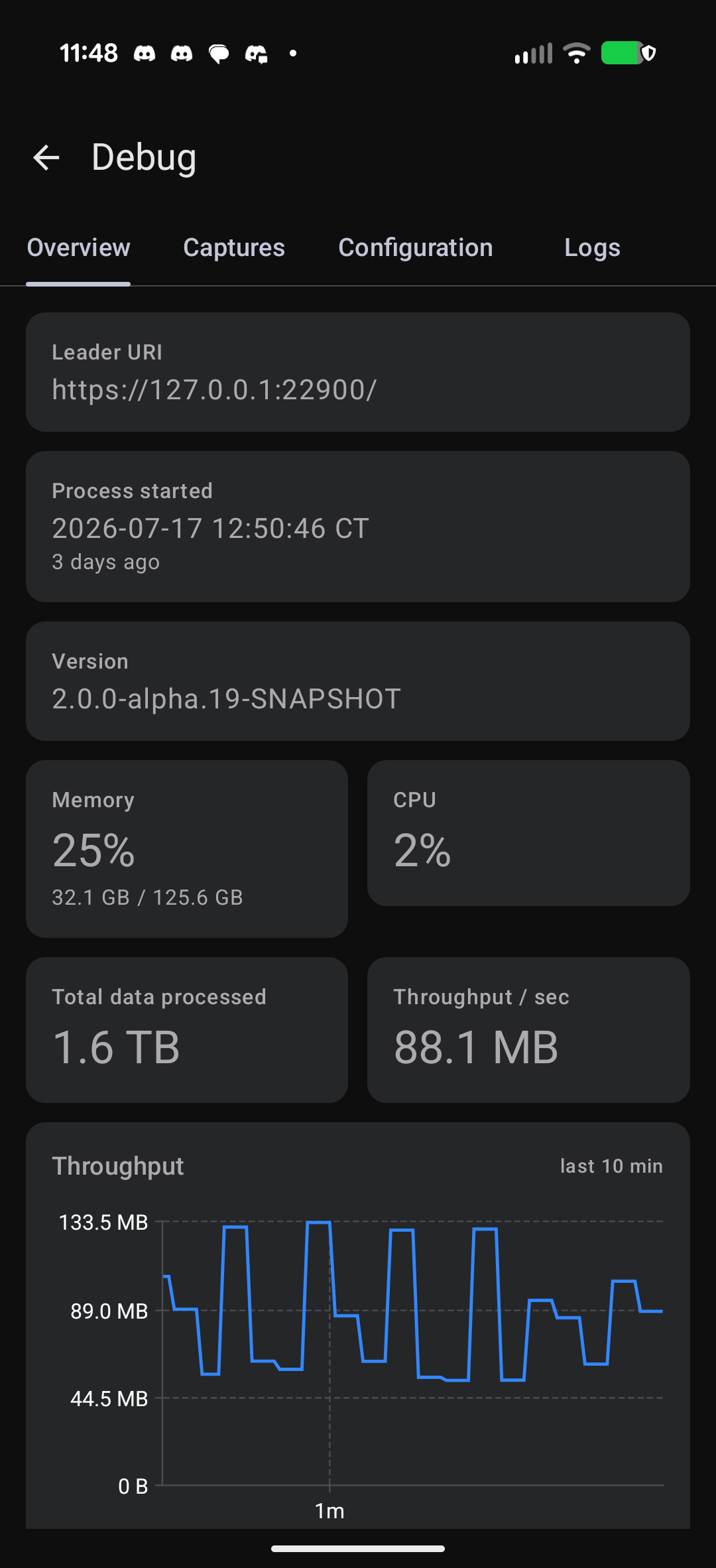
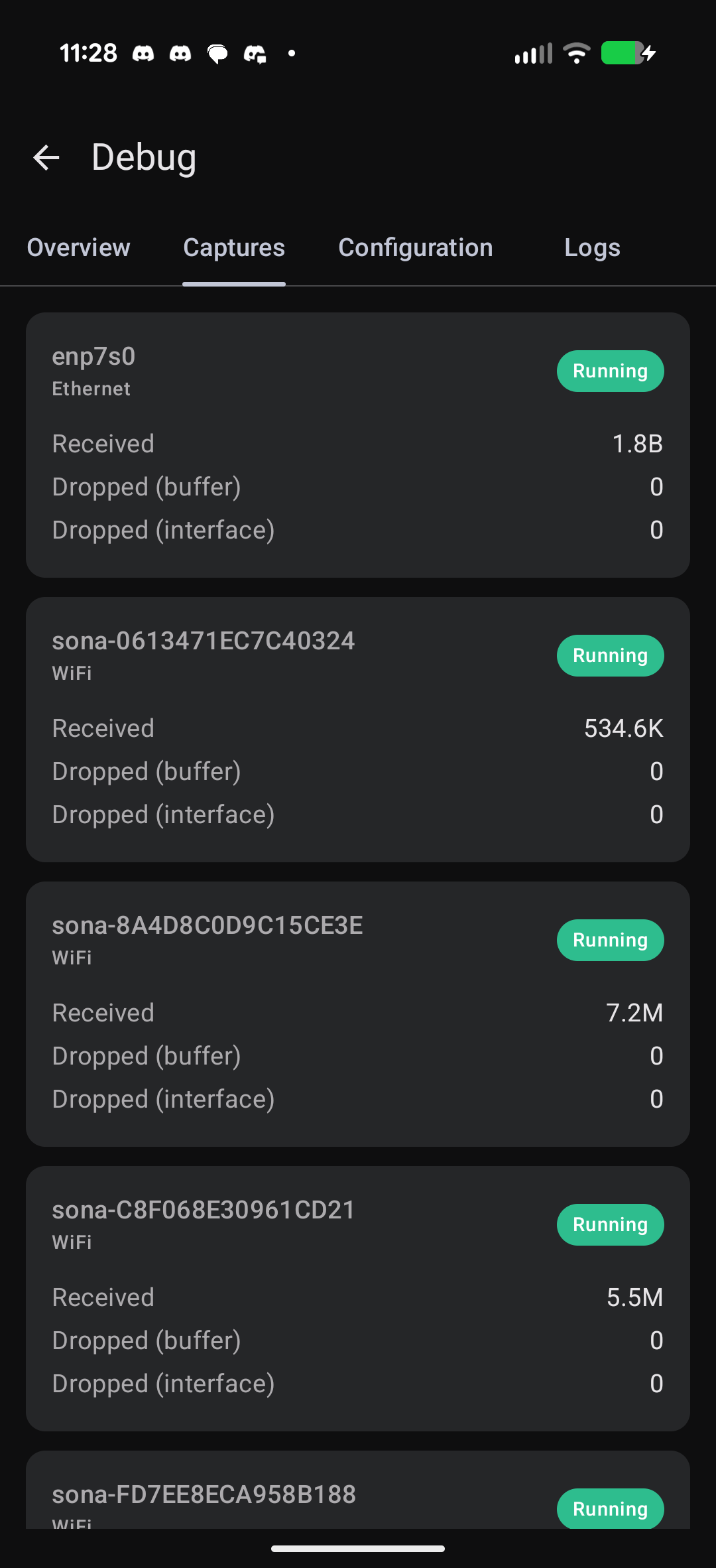
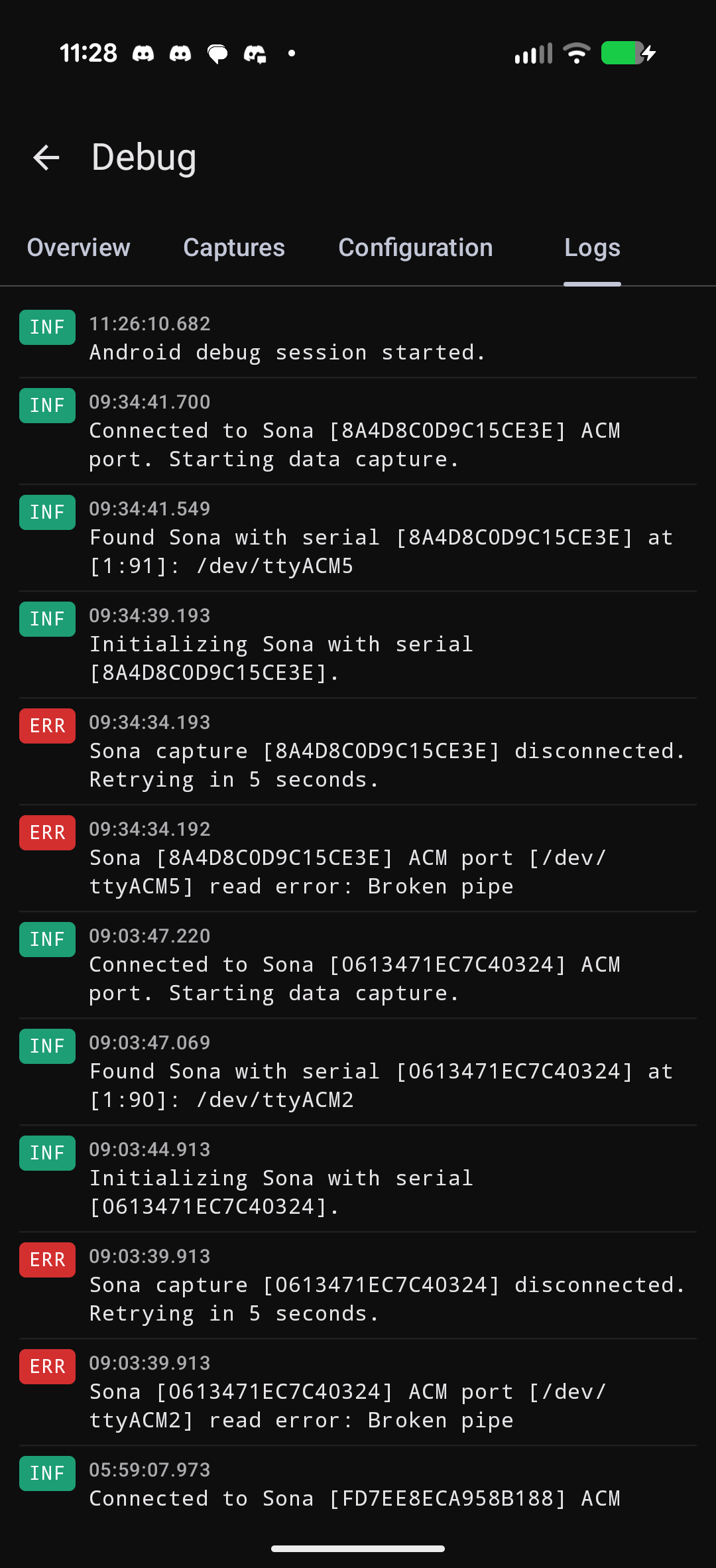
New Feature: Android Tap Debugging
Sometimes you need to debug an Nzyme tap in the field without being able to access it via the network or with a screen and keyboard. For this case, you can now plug an Android phone into the USB port of the tap host and receive live metrics from it. Install the Nzyme Connect Android App for this to work. Your phone will offer to launch the app automatically when you plug it into a tap.
New Feature: nzyme-util
We are now shipping the nzyme-util binary. It is a helpful companion for managing Nzyme peripherals (like Sona) and
generating configuration, as well as for cryptographically verifying our releases.
You can read more about nzyme-util in the documentation.
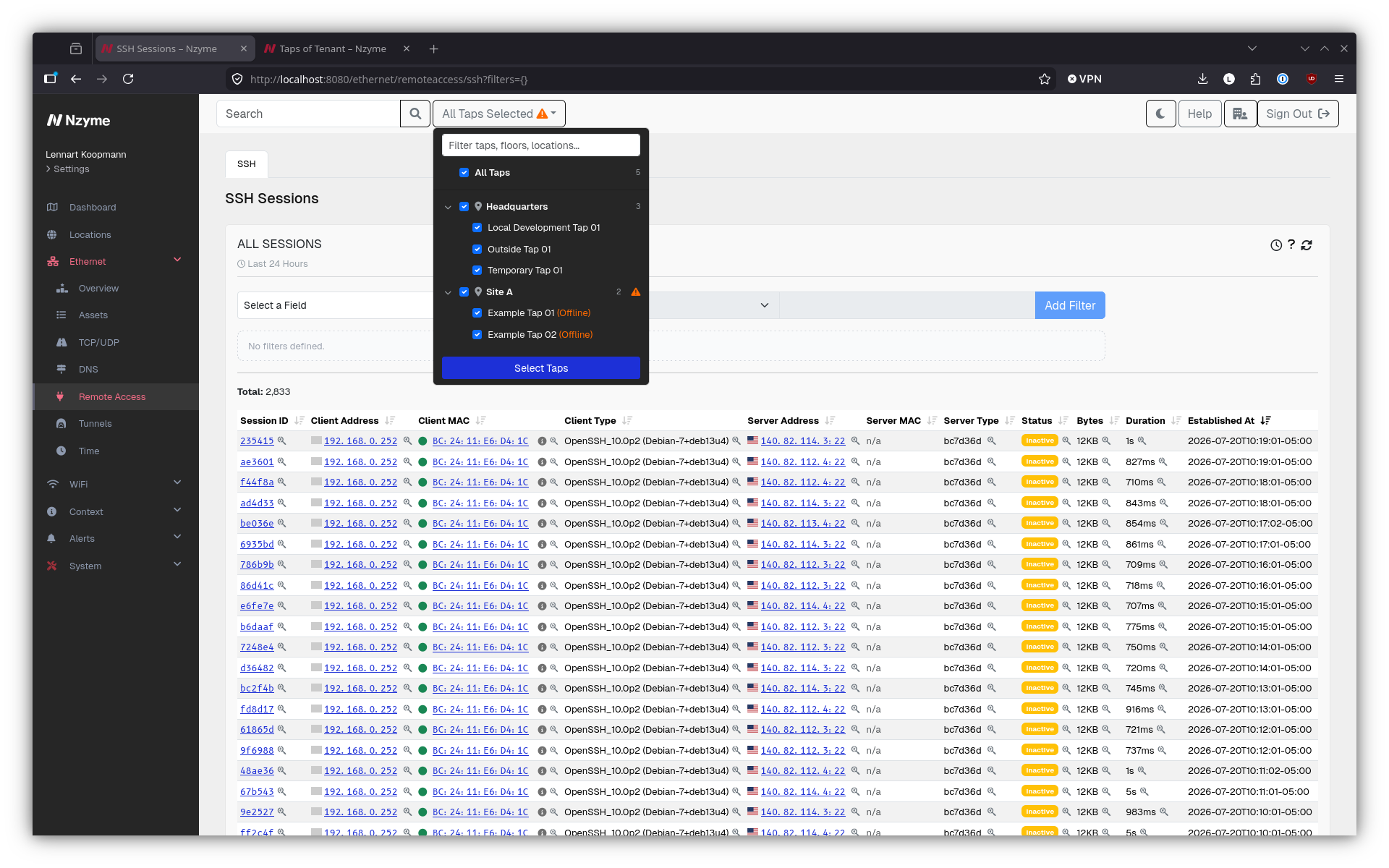
Improvement: New Tap Selector
The tap selector has been improved to work much better with a large number of taps. Additionally, it is now also location-aware, allowing you to quickly filter taps when switching between physical locations.
Improvement: Better colors for dark theme
The dark theme now has colors that look better and should be easier to read.
Download & Upgrading
All packages are available for download on the new downloads page. Upgrading is easy. Please follow the release notes on the downloads page.
New installations should follow the installation documentation.
How can I help?
You are some of the first users to try out Nzyme v2.0.0, and we are looking for any kind of feedback:
- What didn’t work, what bugs did you experience?
- What was confusing or seemingly unnecessarily complex?
- What is missing?
- What do you think should be changed?
Again, this is an early release and no feelings will be hurt.
You can file issues on GitHub, join the nzyme Discord or post in the discussion forums to provide your feedback or ask questions.